Feature 6 – Radar/Laser Digital Voice Prompts
With “
VVoo ii cc ee oo nn
”, unit will provide Digital Voice
prompts followed by “beeps” when X/K/Ka and Laser
signals are detected. With “
VVoo ii cc ee oo ff ff
”, unit will
sound unique audio tones only. Factory setting is
“
VVoo ii cc ee oo nn
”.
Feature 7 – Safety Warning System
®
(SWS
™
)
With “
SSWWSSoo nn
”, unit will provide a message when
signals from SWS
™
transmitters are detected.
Factory setting is “
SSWWSSoo nn
”.
Feature 8 – Safety Warning System
®
Voice or Tone
When “
SSWWSSvv oo ii cc ee
” is selected, unit will provide
Digital Voice announcements when SWS
™
transmitters
are detected. Factory setting is “
SSWWSSvv oo ii cc ee
”. When
“
SSWWSStt oo nn ee
” is selected, Digital Voice is replaced by
tone/clicking only. Factory setting is “
SSWWSSvv oo ii cc ee
”.
Feature 9 – Audio/Visual Scroll Rate
When “
SSCCRRss ll oo ww
” is selected, unit will provide a slow
cycling of audio/visual messages. When “
SSCCRR ffaa ss tt
” is
selected, unit will provide a fast cycling of
audio/visual messages. Factory setting is “
SSCCRRss ll oo ww
”.
Feature 10– Inverted Display Feature
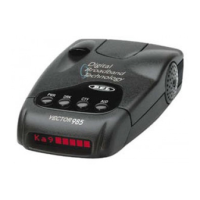
When selected, VECTOR 985 can be mounted upside
down to your vehicle’s headliner using the hook and
loop fastener; the display will remain normal reading.
Upside down mounting may allow for easier access
to the unit’s buttons.
Note: Inverted display is ON when the check mark symbol
is FLASHING; inverted display is OFF when the underscore
line is flashing.
13
k
k
k
k
k









 To Next Page