7
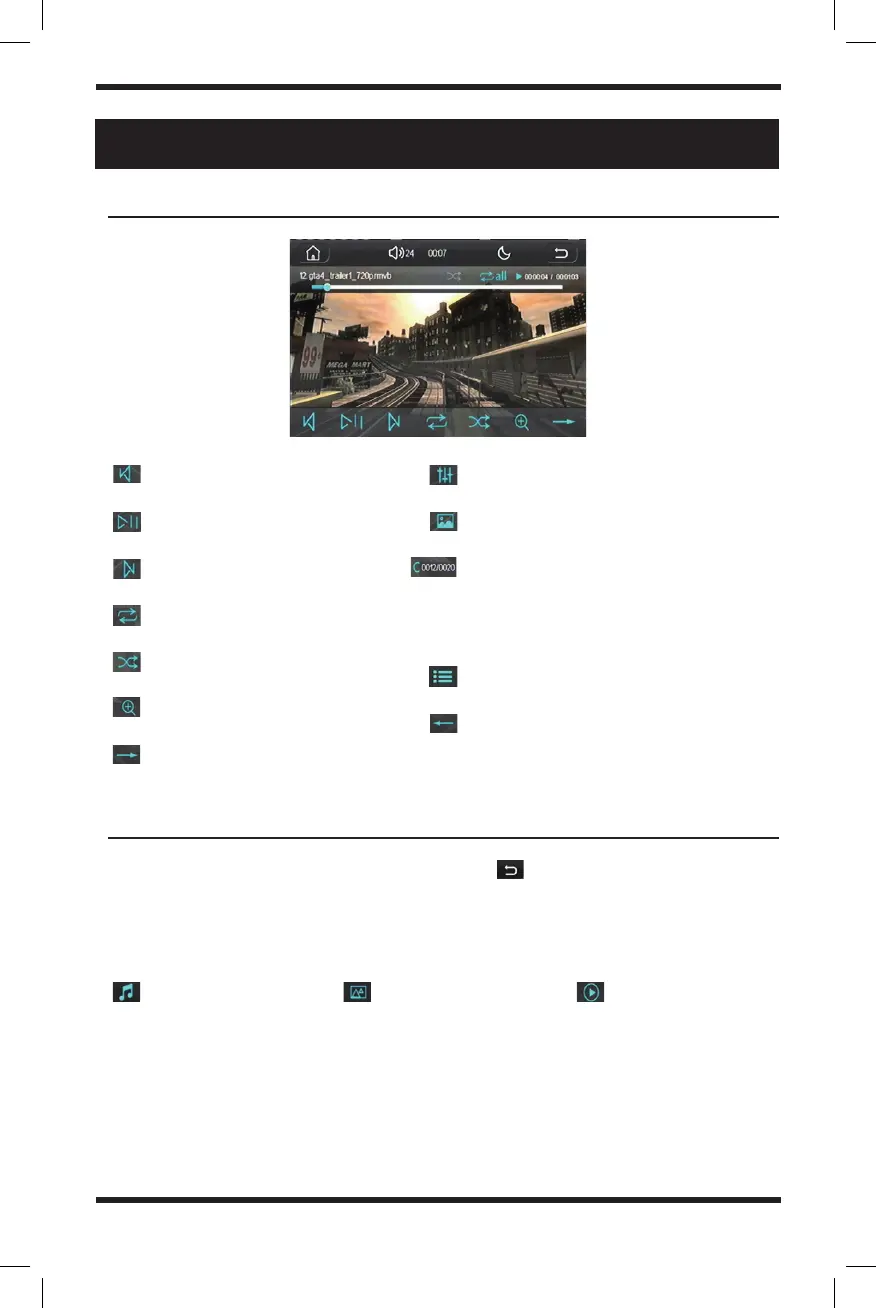
Previous video
Play/Pause video
Skip to next video
Repeat playback
Shuffle playback
Enlarge or zoom in on video
More functions
Adjust sound settings
Video settings
File selection in folder (use the keypad
to quickly go to the file number within
the folder to start displaying that
video)
Video list
Switch to last functions page
video playback interface
media folders
SD Card or USB Playback (CONt.)
When playing music, images, or videos, click the icon in the upper right
corner. Hit it once to view all files within the current folder and twice to view each
individual folder.
Use the corresponding icons to distinguish individual file types:
View music folder View image folder View video folder


 To Next Page