16
2.
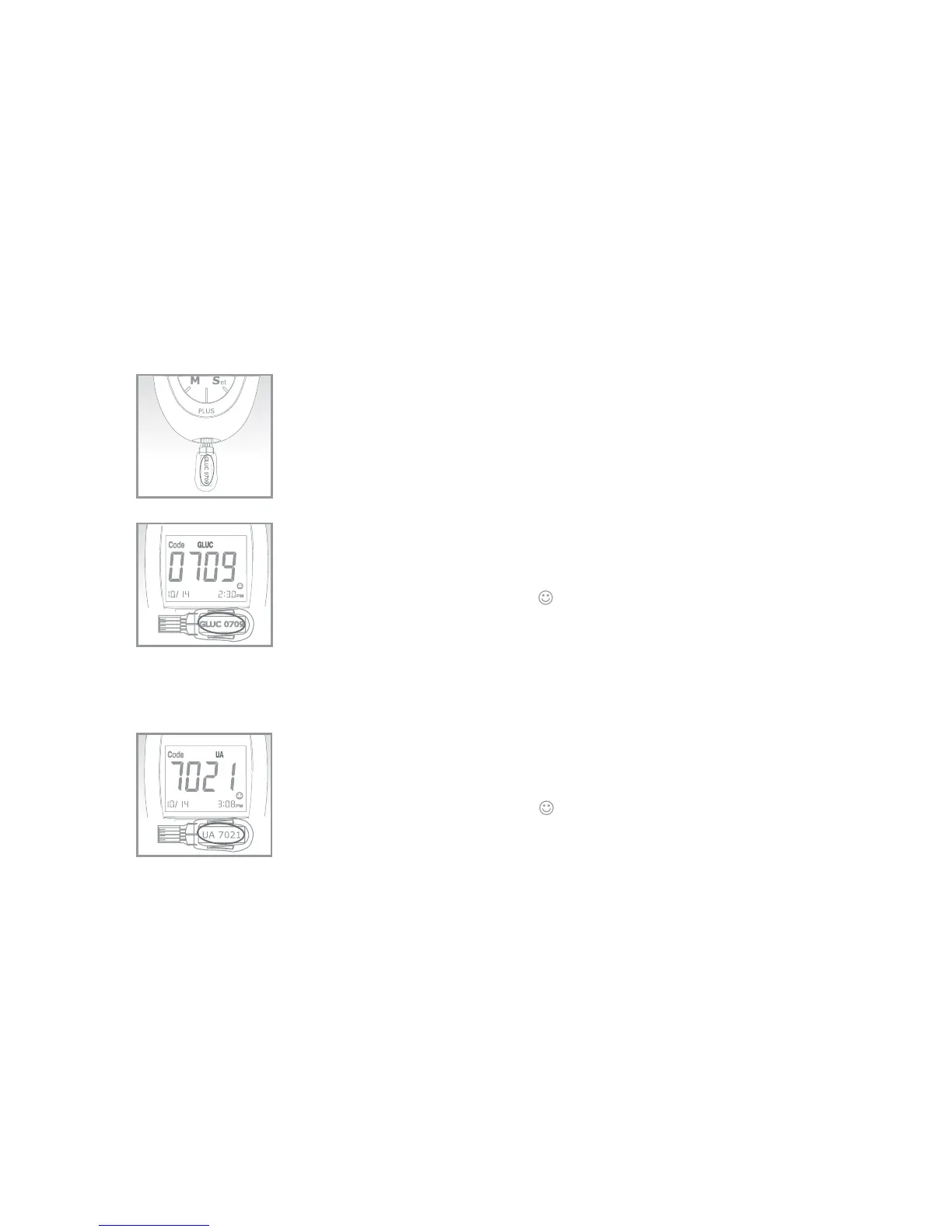
Insert a code strip into the test port of the meter.
Wait for the code number to appear on the screen.
3.
Make sure the code number on the screen is the same as
the code number on the code strip, and the test mode is
also the same as marked on the test vial.
Remove the code strip. “ ” should appear on the screen,
indicating that the meter has been successfully coded to
glucose test mode.
For Uric Acid Test Mode
Follow the same procedures of 1 to 3 described in glucose test mode .
4.
Make sure to check that the code number and test mode on
the code strip are the same as the code number and test
mode on the uric acid test strip vial.
Remove the code strip. “ ” should appear on the screen,
indicating that the meter has been successfully coded to uric
acid test mode.


 To Next Page