First setup
Important:
! Watch safety aspects at the end of this manual before first flight !
The TBS Mini is delivered full programmed and ready to run, according to your order.
!! For the final setup YOU must teach it to your radio !!
The control mode set at delivery is indicated at the first page of this manual.
Please see the following chapters how to teach the Mini according to the set control mode:
Encoder: Page: 5
Direct sound selection: Page: 7
Indirect sound selection: Page: 8
Autostart: Page: 9
!! Any configuration changes should be made AFTER the first setup was successfully !!
3. Control modes
3.1. Encoder (12-Key coder)
The most comfortable way of controlling the sound unit is using the so called “12-key coder”. It is a
12 position rotary switch in combination with a push button. The desired sound is selected by the
rotary switch and is triggered by the push button.
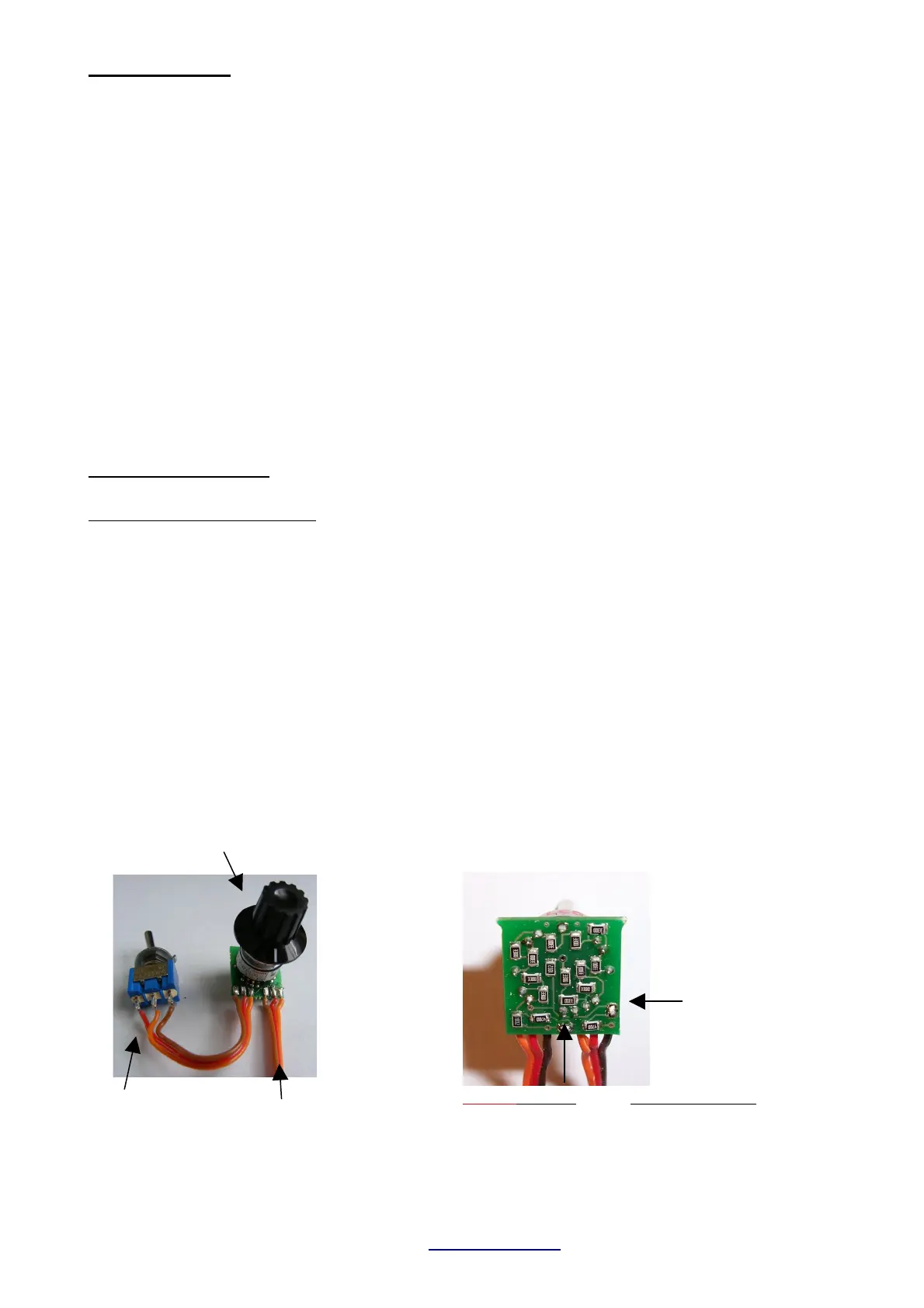
The encoder is mounted in your transmitter and connected to a spare proportional channel.
Electrically, it is a simple potentiometer with adjustable total resistance (see picture below).
The encoder is optional and must be ordered separately!
After installation the encoder should be tested by a common servo at the according receiver
channel. KEEP the encoder push button pressed while moving the rotary switch through all
positions. The attached servo must move to a new location at each rotary switch position. The total
movement of the servo should be about the same as at a normal joystick channels set to 100%
travel.
TBS Mini V2, 11/2018 www.benedini.de Page 7 of 13
Connect to spare prop.
Channel of your TX.
trigger switch
Rotary switch for
sound selection
BOTH bridges Total resistance
open app. 22 KOhm
closed app. 5 KOhm
The total resistance of the encoder can be
adjusted to your TX by two solder bridges at
the rear side of the encoder pcb:


 To Next Page