EasyManua.ls Logo

Benedini TBS Mini V2 - User Manual

Benedini TBS Mini V2
13 pages
Print Icon
To Next Page IconTo Next Page
Loading...
Digital Multifunctional RC-Soundmodule
TBS Mini V2
Important notes about changes on the NEW TBS Mini V2
!!! MUST BE READ !!!
Most important: Receiver power supply must be 4V to max. 6V !!!
This range is covered by most BEC receiver power supply.
New sound memory
- 16x larger → Enough for 24,8 minutes of sound
- „Erasing Flash“ lasts about 45s
- Filling the new sound memory completely takes about 45 minutes !
The NEW TBS Flash V4 software must be used for programming this TBS Mini
3W digital audio amplifier on board
4Ohm and 8Ohm speakers can be used
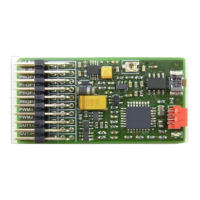
External amplifier connector on top → see picture above.
All other connectors remain unchanged and are located one position lower than on the old TBS
Mini. Please see the TBS Mini V2 manual page 4 for all details.
The new connector allows direct usage of most 3
rd
party amplifiers.
Hardware volume controller located on the Mini. Internal and ext. amplifier volume is set by this
controller. In parallel it is still possible changing the volume by the transmitter (if the Mini
parameters settings are accordingly)
External amplifier and a speaker connected directly to the TBS Mini can be used in parallel
Very important:
Connecting any 3
rd
party amplifier is FULLY on your OWN RISK regarding ANY damages
There will be no support for any 3
rd
party amplifier.
TBS Mini V2, 11/2018 www.benedini.de Page 1 of 13
New connector:
External amplifier
Unchanged connectors
(same as old TBS Mini V1)
Volume

Other manuals for Benedini TBS Mini V2

Question and Answer IconNeed help?

Do you have a question about the Benedini TBS Mini V2 and is the answer not in the manual?

Summary

TBS Mini V2 Key Updates and Warnings

New External Amplifier Connector

Details the new connector for external amplifiers and its implications for connectivity.

Power Supply Limits and Sound Memory

Covers crucial 4V-6V power supply limits and expanded sound memory capabilities.

Onboard Amplifier and Volume Control

Explains the onboard 3W amplifier and hardware volume control features.

Third-Party Amplifier Usage Risks

Advises on risks and lack of support for connecting third-party amplifiers.

TBS Mini V2 Control Mode Selection

Encoder Control Mode Setup

Outlines the Encoder control mode and its corresponding setup page reference.

Direct Sound Selection Setup

Details the Direct Sound Selection control mode and its setup page reference.

Indirect Sound Selection Setup

Describes the Indirect Sound Selection control mode and its setup page reference.

Autostart Control Mode Setup

Introduces the Autostart control mode and its setup page reference.

OpenPanzer Configuration Reference

Provides a link for OpenPanzer configuration, separate from direct setup.

TBS Mini V2 Detailed Features

Onboard Audio and Speaker Support

Highlights the onboard 3W amplifier and support for 4/8 Ohm speakers.

Connectivity and Control Options

Lists various input options and control flexibility like remote volume control.

Programmability and Sound Library Access

Covers custom sound loading, large library, and software programmability.

Switching Outputs and Speed Signal

Details the up to 6 switching outputs and speed signal derivation from the receiver.

TBS Mini V2 Physical Connections

Connector Identification and Functions

Lists and describes the function of each plug on the TBS Mini unit.

Plug Orientation and Signal Lead

Explains the correct orientation for plugs and the signal lead position on connectors.

External Amplifier Wiring Instructions

Provides instructions for connecting external amplifiers, including signal and ground.

TBS Mini V2 Signal Inputs;Outputs

Remote Volume Control Operation

Explains how to control volume remotely via transmitter settings and functions.

Speaker, Prop1, and BEC Connection

Details speaker connection, Prop1 for speed channel, and BEC notes for receiver power.

Prop2, Prop3, PWM, and Switching Outputs

Describes optional inputs (Prop2/3), PWM outputs, and universal switching outputs.

TBS Mini V2 Installation Schematic

Initial Setup and Encoder Control

First Setup and Radio Teaching

Guides users through initial setup and teaching the unit to respond to their radio.

Encoder Control Mode Overview

Explains the 12-position rotary switch and push button encoder control method.

Encoder Resistance Adjustment Methods

Details how to adjust the encoder's total resistance using solder bridges for calibration.

Encoder Control Mode Details

Alternative Push Button Encoder Circuit

Suggests an alternative resistor array circuit for push button encoder control.

Teaching the Encoder Control Sequence

Provides a step-by-step guide for teaching the sound unit to respond to encoder inputs.

Direct Sound Selection Methods

Teaching Direct Selection via Prop2 Input

Details teaching direct sound selection using the Prop2 input and required settings.

Teaching Direct Selection via Prop3 Input

Offers an alternative method for teaching direct sound selection using the Prop3 input.

Indirect Sound Selection (2-Key Coder)

Teaching the 2-Key Coder Control

Step-by-step instructions for teaching the indirect sound selection mode using a 3-position switch.

Autostart and Control Mode Changes

Teaching the Autostart Mode

Guides users through teaching the Autostart mode for automatic engine sound activation.

Manual Control Mode Switching

Explains how to change control modes using the learn button and specific beep codes.

Configuration, Data, and Safety Aspects

PC Configuration with TBS Flash Software

Describes PC configuration using the TBS Flash software and optional programming cable.

Technical Specifications and Data

Lists key technical data including power supply, dimensions, weight, and output specs.

Critical Safety Precautions and Warnings

Highlights essential safety aspects like range checks, BEC usage, and output limitations.

External Amplifier Wiring Diagrams

Benedini TBS Mini V2 Specifications

General IconGeneral
Channels2
Sampling Rate44.1kHz
USBNo
Phantom PowerNo
Bit Depth16 bit

Related product manuals