6
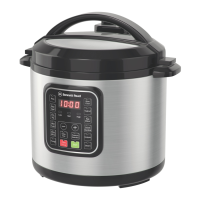
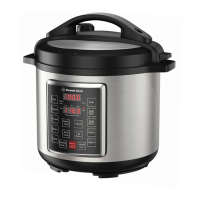
USING YOUR PRESSURE CHEF
There are 12 settings that you can use on the PRESSURE CHEF. All settings have preset times and preset
pressure. You can choose one of the preset times, or, if you want something in between the preset times
or for much longer, you are able to change times by pressing the “Pressure Time +” or “Pressure Time –“
button repeatedly to achieve the desired time. You can also adjust the pressure level and temperature
by pressing the “Adjust” button.
The PRESSURE CHEF comes with the following cooking options and times:
• Rice: 5, 8, 10 minutes (Adjust Pressure)
• Multigrain: 20, 40 minutes, 1 hour (Adjust Pressure)
• Porridge: 15, 20, 30 minutes (Adjust Pressure)
• Meat/Stew: 20, 35, 45 minutes (Adjust Pressure)
• Steam: 1, 3, 5 minutes (Adjust Pressure)
• Bean/Mince: 25, 30, 45 minutes (Adjust Pressure)
• Yoghurt: 8, 24 hours (Adjust Temperature)
• Soup: 20, 30, 40 minutes (Adjust Pressure)
• Poultry: 5, 15, 30 minutes (Adjust Pressure)
• Sauté: 30 minutes (no pressure, Adjust Temperature)
• Egg Maker: 1, 3, 5 minutes (Adjust Pressure)
• Slow Cook: up to 20 hours (Adjust Temperature)
• Pressure Time + / - : Up to 2 hours (You can also use this option to choose a time between the
preset times above and to adjust pressure)
• Keep Warm/Cancel: To keep food warm or cancel your settings and turn off the pressure cooker
• Adjust: To adjust either the pressure or temperature depending on the cooking setting
• Delay Timer: up to 24 hours
You are able to choose one of the preset times by pressing the button of the cooking option of your
choice repeatedly. For example, if you want to use one of the “Rice” preset cooking times, press the
“Rice” button and the preset cooking time of 8 minutes will show up on the cooking time display. If you
want to adjust to 10 minutes, you can press the “Rice” button again until you get to 10 minutes (it will
cycle through the preset times). Or if you want to adjust to 9 minutes, you can press on “Rice” and one
of the preset cooking times will show up on the cooking time display. Then press on the “Pressure Time
+” or “Pressure Time –“ button repeatedly until you get to 9 minutes. After you have set a time, you are
able to adjust the pressure level between “Low” and “High” by pressing the “Adjust” button and the
setting of either “Low” or “High” will light up. Low pressure is a range from 5-6 psi and high pressure is
a range from 12-13 psi.
NOTE:
The “Sauté” cooking option does not use pressure and does not require the lid. However, when using
this option you must never leave the PRESSURE CHEF unattended to prevent the food from burning.


 To Next Page