43 Menu operation
Function descriptions
Menu Descriptions
Projector Position
The projector can be installed on a ceiling or behind a screen, or with
one or more mirrors. See Choosing a location on page 13 for details.
2D Keystone
(AH700ST only)
See 2D keystone (AH700ST) on page 20 for details.
3D Keystone
(AK700ST only)
See 3D keystone (AK700ST) on page 21 for details.
This image adjustment might impact latency. We suggest setting the
3D Keystone values to 0 to enjoy low latency gaming.
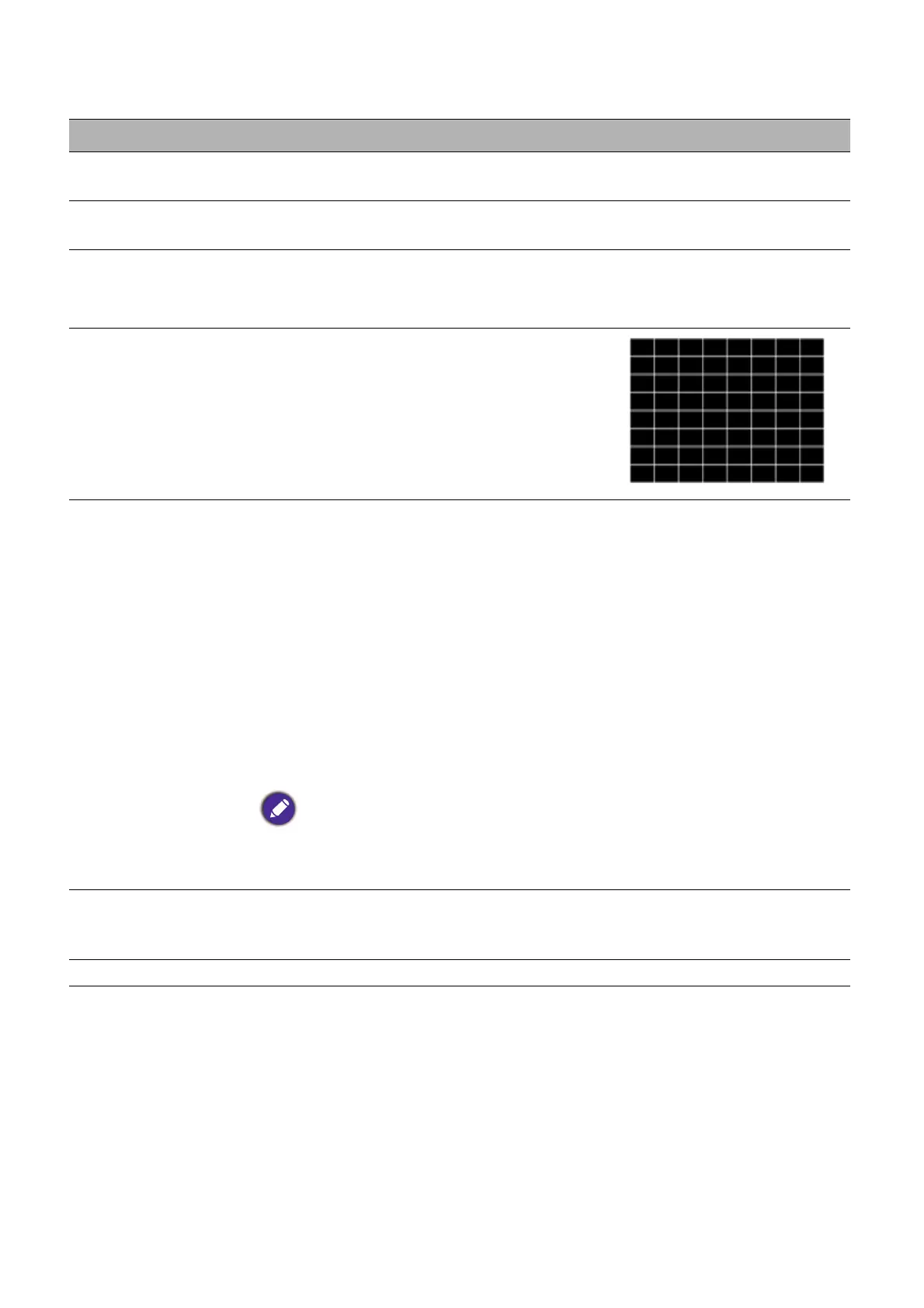
Test Pattern
Adjusts the image size and focus and
check that the projected image is free
from distortion.
High Altitude Mode
We recommend you use the High Altitude Mode when your
environment is between 1501 m–3000 m above sea level, and ambient
temperature is between 0°C–30°C.
Operation under “High Altitude Mode” may cause a higher decibel
operating noise level because of increased fan speed necessary to
improve overall system cooling and performance.
If you use this projector under other extreme conditions excluding the
above, it may display auto shut-down symptoms, which is designed to
protect your projector from over-heating. In cases like this, you should
switch to High Altitude mode to solve these symptoms. However, this
is not to state that this projector can operate under any and all harsh or
extreme conditions.
Do not use the High Altitude Mode if your altitude is between 0 m and 1500 m and
ambient temperature is between 0°C and 35°C. The projector will be over cooled, if
you turn the mode on under such a condition.
Baud Rate
Selects a baud rate that is identical with your computer’s so that you
can connect the projector using a suitable RS-232 cable. This function
is intended for qualified service personnel.
Projector ID Setting Set an ID for projector to match with corresponding remote control.


 To Next Page