8 Getting to know your monitor
Input and output ports
Available input and output ports may vary depending on your purchased model. Check the
Specification document on the provided CD for details.
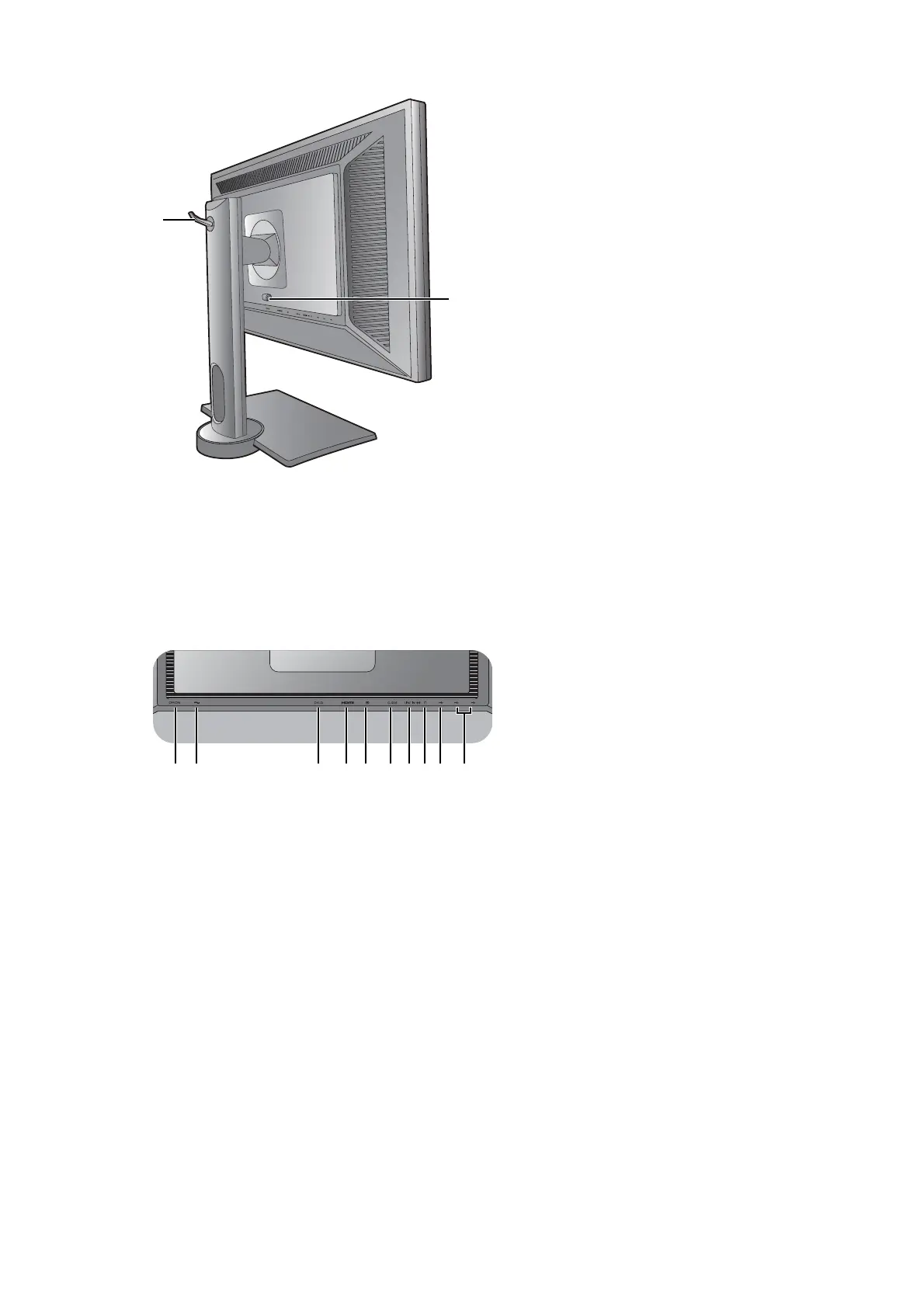
7. Headphone hook
8. VESA mount release button
BL2420P 1. Power switch
2. AC power input jack
3. DVI-D socket
4. HDMI socket
5. DisplayPort socket
6. D-Sub socket
7. Audio Line In
8. Headphone jack
9. USB 2.0 port (upstream;
connecting to the PC)
10. USB 2.0 port x 2 (downstream;
connecting to USB devices)


 To Next Page