36
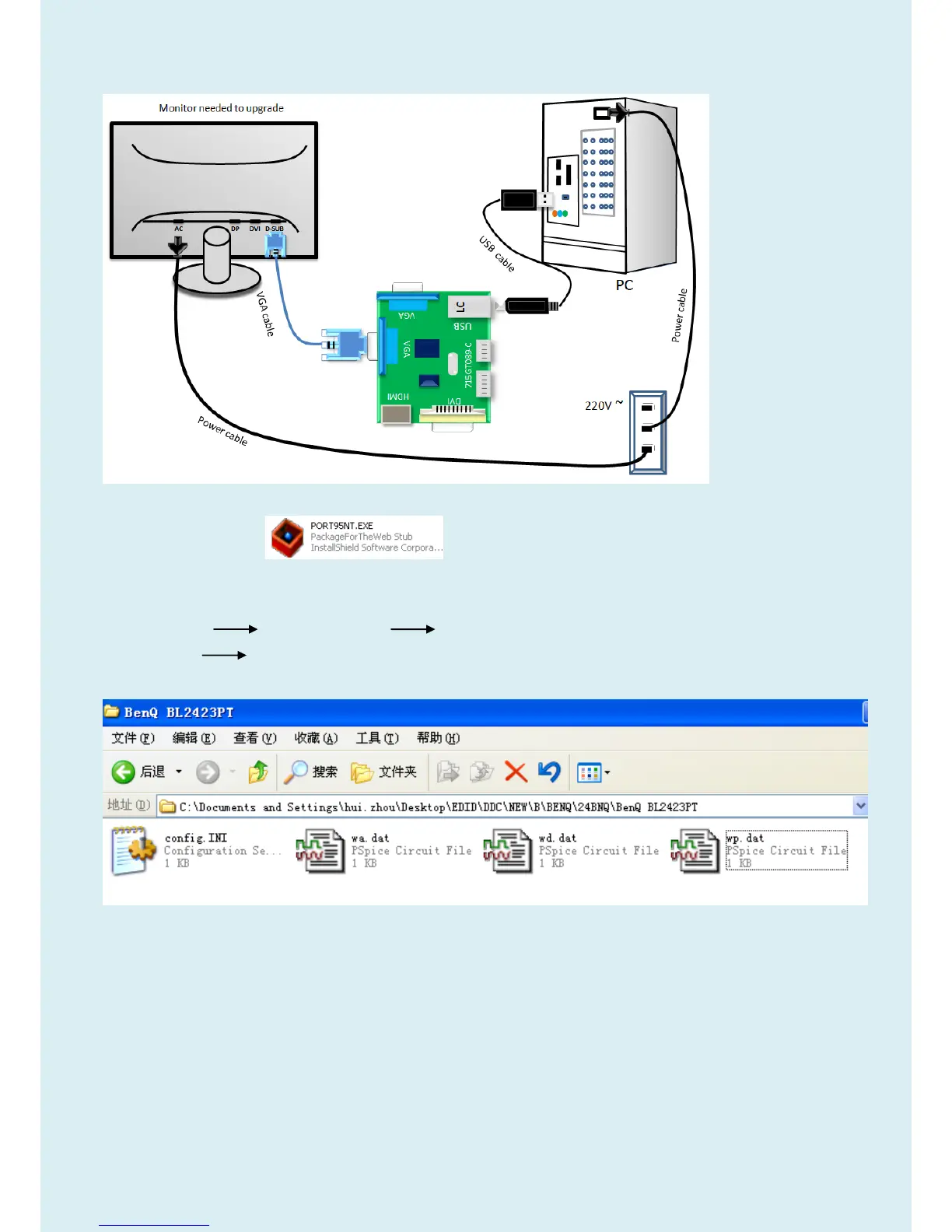
2. Connection(DC on the monitor)
3. Install LPT driver.
3.1. Double click the icon to install the driver. Restart PC after installation.
4. Prepare the EDID written.
4.1. Change the EDID files name as below rule.
VGA EDID WA.dat DP EDID WP.dat
DVI EDID WD.dat
4.2. Copy these files to one folder named as BENQ BL2423PT which must contains “config.ini” file.



 To Next Page