68
Product Disassembly/Assembly
Disassembly
1) Remove the stand-base assy
Place the monitor on a smooth surface. Be careful to avoid scratch and injury during the process of uninstall.
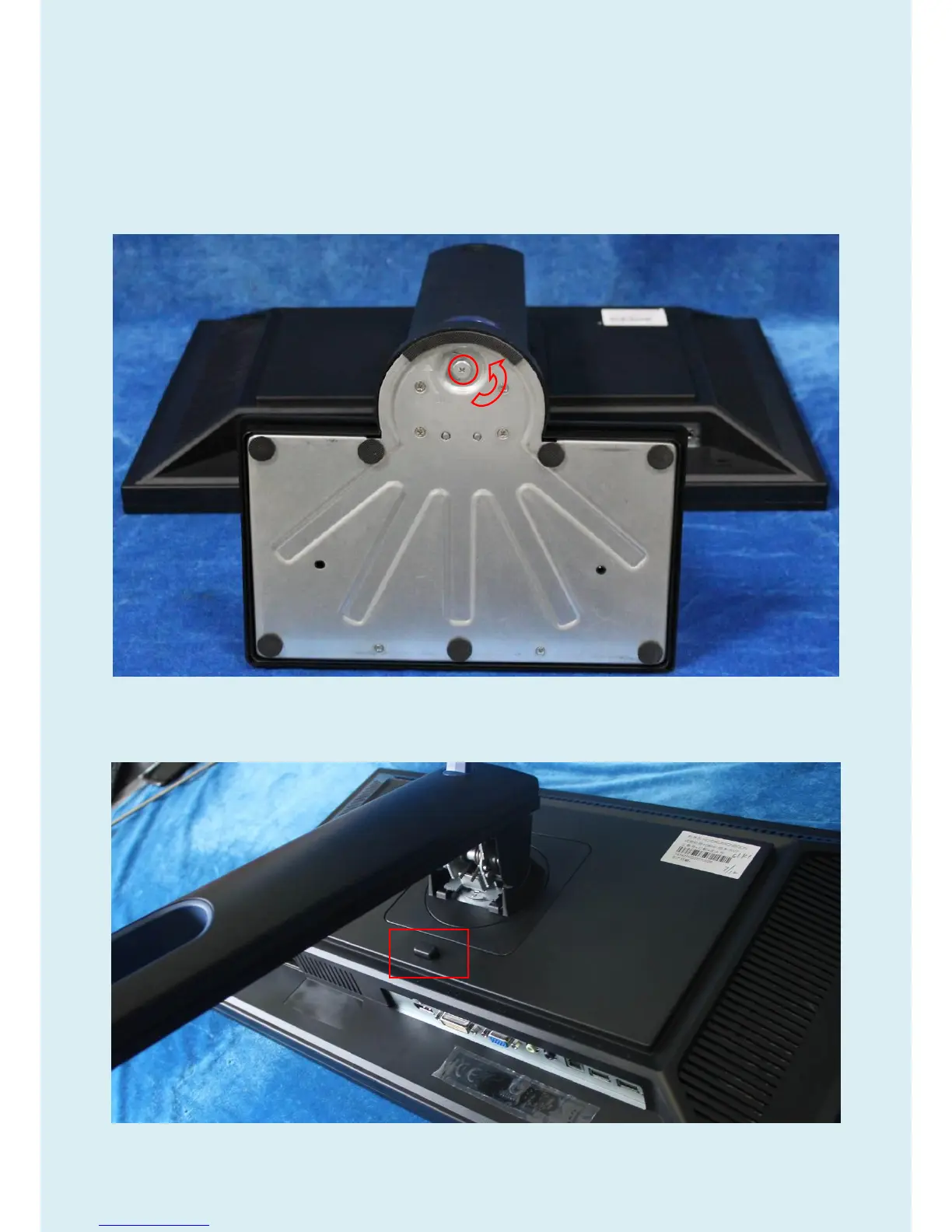
Remove the screws and then rotate the base as below picture to remove the base.
2) Remove the stand.
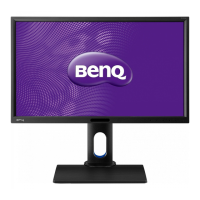
Holding the stand and press the button, and so you can remove the stand.


 To Next Page