70
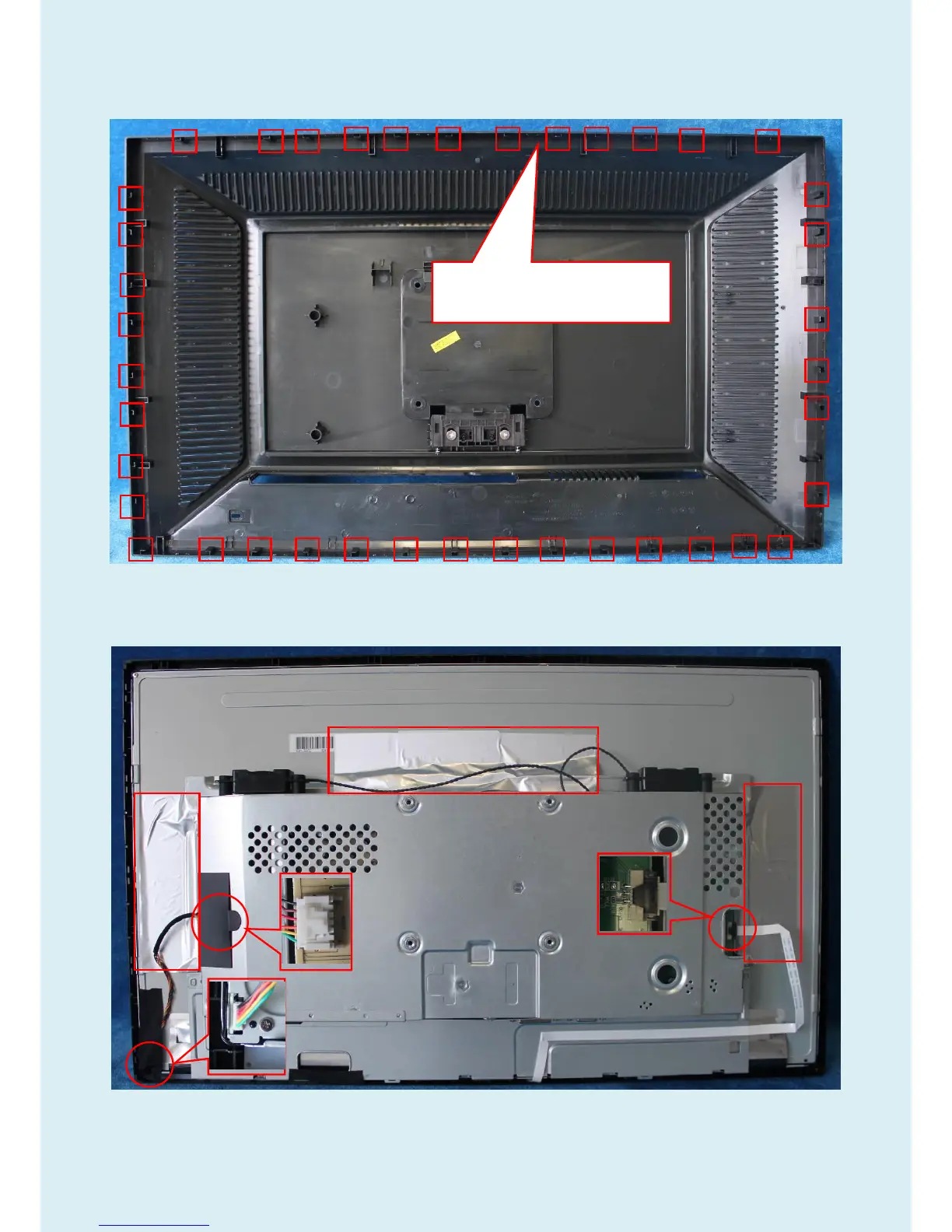
Note: The positions of the clips on the rear cover are as follow. There are some small gaps between CLIPS.
It’s suggested to separate bezel and rear cover from the gaps.
4) Remove the main frame from the panel.
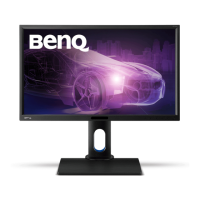
Remove the aluminum foil; pull out the wire marked in red circles to remove the mainframe.
Note: When you assembled the LCD, you must tidy the wire as follow picture.


 To Next Page