2
BenQ C260 Mobile Phone
Please follow the simple steps below to make your first call:
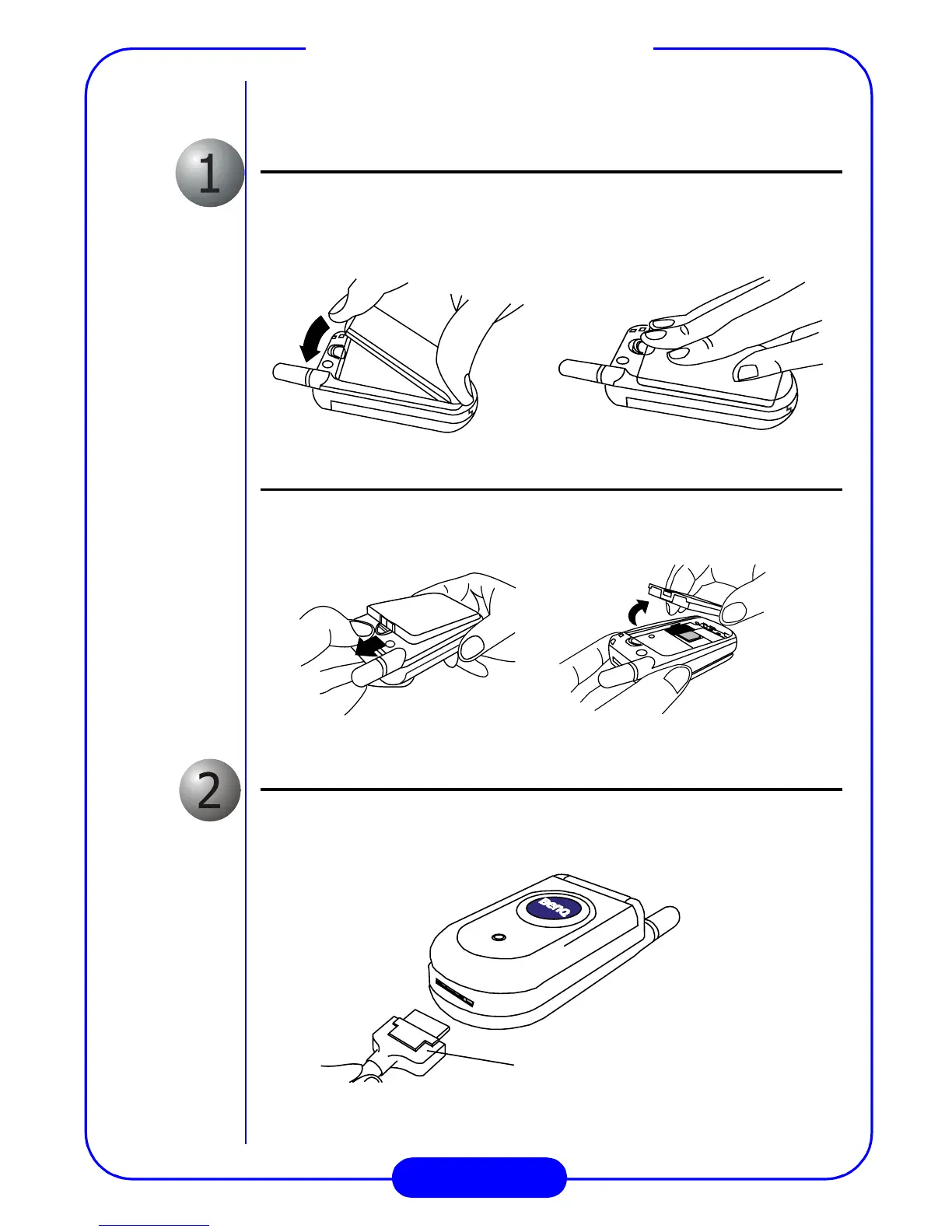
Install the battery
Place the bottom end of the battery on the phone, then press down
the top side of the battery. You will hear a click when the battery is
secured.
.Remove the battery
Press the battery latch and the battery rises automatically. Then, lift
the battery off the compartment as illustrated below.
Charge the battery
Insert the battery charger connector into the battery charging socket.
PUSH
This side up



 To Next Page