37
BenQ C260 Mobile Phone
Off: Press “Select” soft key and you can set the alarm clock function
off.
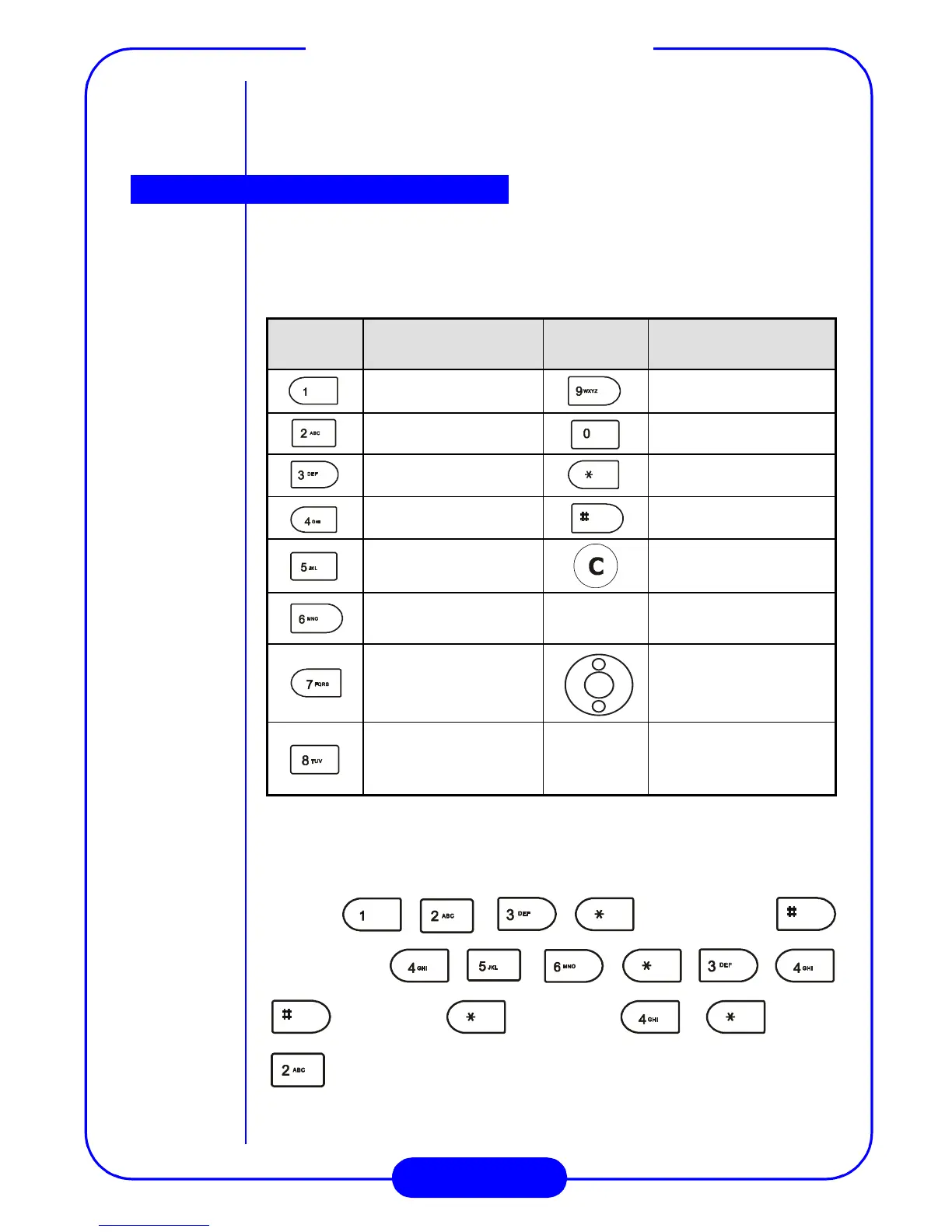
You can use your phone as a handy calculator. A cursor will appear at
the upper left of the screen. Follow the chart below to enter numbers
and arithmetic symbols.
For example, to calculate the following formula:
123 x (456+34) / 4-2
Press (3 times)
(twice)
(3 times) (4 times) (twice)
.
Press the “=” soft key to display the result.
Key
Number/
Function
Key
Number/
Function
19
20
3+ - * /
4. ( )
5Clear number
6
“=” soft
key
Display result
7 Move the cursor
8
“Option”
soft key
This item can also
choose +, -, *, /, ., (,
).
Calculator



 To Next Page