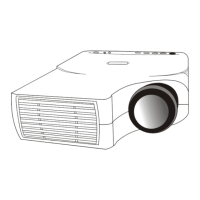
User’s Manual
Table of Contents
III
Table of Contents
Introduction ............................................................................................................................................................1
Projector Features .........................................................................................................................................................................1
Description......................................................................................................................................................................................2
A.
FRONT .......................................................................................................................................................................2
B.
REAR ...........................................................................................................................................................................2
C.
BOTTOM...................................................................................................................................................................2
Installation........................................................................................................................................................................................3
A.
Positioning..................................................................................................................................................................3
B.
Adjustable Feet..........................................................................................................................................................3
Moving the Projector ....................................................................................................................................................................4
Accessories......................................................................................................................................................................................5
Connection..............................................................................................................................................................6
A.
Connecting the Projector to Computer/Notebook.........................................................................................6
B.
Connecting the Projector to Macintosh/Power Book......................................................................................7
Operation ................................................................................................................................................................8
Turn On/Off Procedure................................................................................................................................................................8
A.
Power on....................................................................................................................................................................8
B.
Standby........................................................................................................................................................................8
External Control ............................................................................................................................................................................8
A.
Control Pad ...............................................................................................................................................................8
B.
Remote Control .................................................................................................................................................... 10
Usage and Replacement of Lamp............................................................................................................................................. 12
A.
Lamp/temperature Status LED Indicator.......................................................................................................... 12
B.
Replacing the Lamp ............................................................................................................................................... 13
OSD ............................................................................................................................................................................................... 15
Main OSD Menu.......................................................................................................................................................................... 15
A.
Display Page ............................................................................................................................................................ 16
B.
Image Page............................................................................................................................................................... 16
C.
Control Page........................................................................................................................................................... 17
D.
Source Page............................................................................................................................................................. 18
Other Correspondent Remote Functions and Messages................................................................................................... 19
Maintenance and Troubleshooting...................................................................................................................20
A.
Lamp Replacement ................................................................................................................................................ 20
B.
Cleaning the Lens .................................................................................................................................................. 20
C.
Troubleshooting..................................................................................................................................................... 20
Specifications.........................................................................................................................................................21
A.
Optical...................................................................................................................................................................... 21
B.
Electrical .................................................................................................................................................................. 21
C.
Mechanical............................................................................................................................................................... 21
D.
Preset Display Resolution Table......................................................................................................................... 21
Appendix................................................................................................................................................................22
AV Connection Port................................................................................................................................................................... 22
AV Control Pad ........................................................................................................................................................................... 22
Connecting the Box.................................................................................................................................................................... 23


 To Next Page
 Loading...