Appendix B: The Optional Display Mount 23
Installing the display mount on a display
To install the display mount directly on a display:
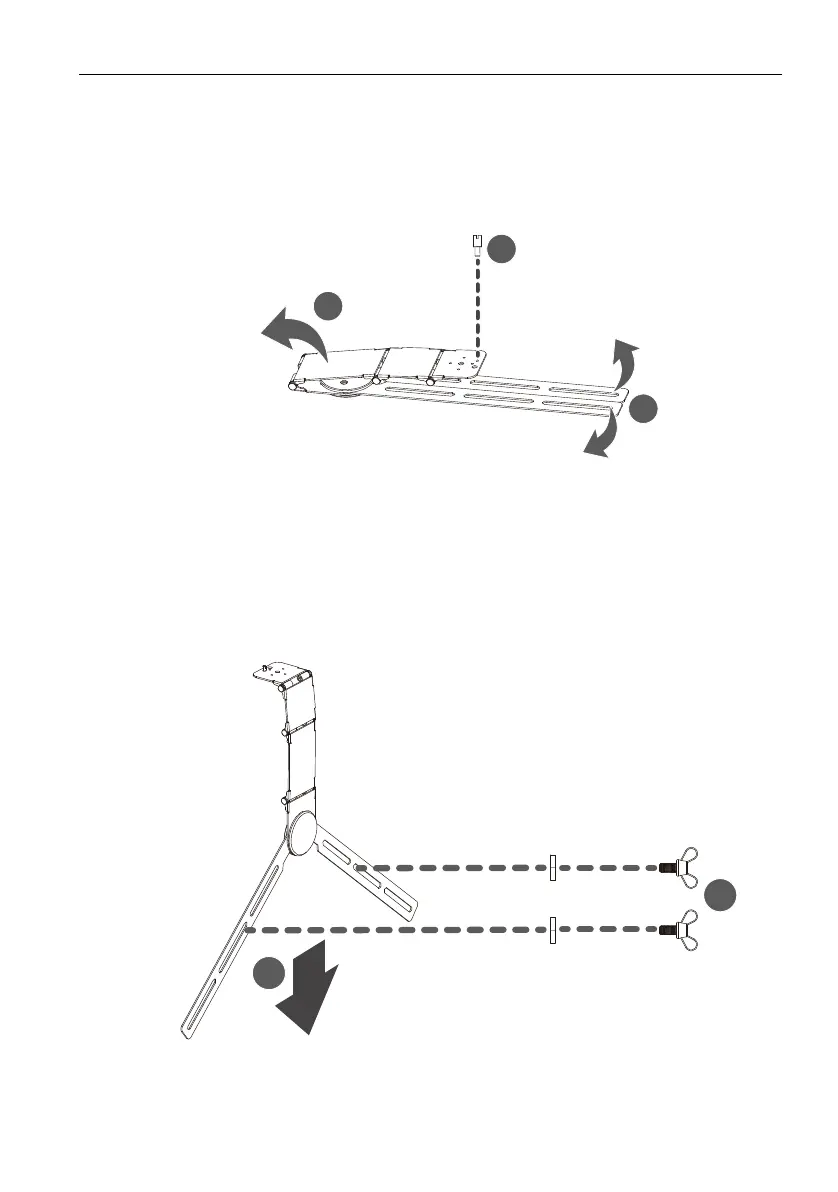
1. Flip open the neck of the mount.
2. Rotate the legs of the mount outward.
3. Install the bracket stopper onto the mount.
4. Align the mount to the location you want it to be on the display and then lower it
onto the display.
5. If necessary further rotate the legs of the mount so that the openings on the legs
align with the screw holes on the rear of the display.
6. Secure the mount to the display by installing, from the outside-in, a washer and a
cape screw through the openings on both legs of the mount and into the screw
holes on the display.
3
1
2
1
2



 To Next Page