Installation instructions 9
Using the privacy cover
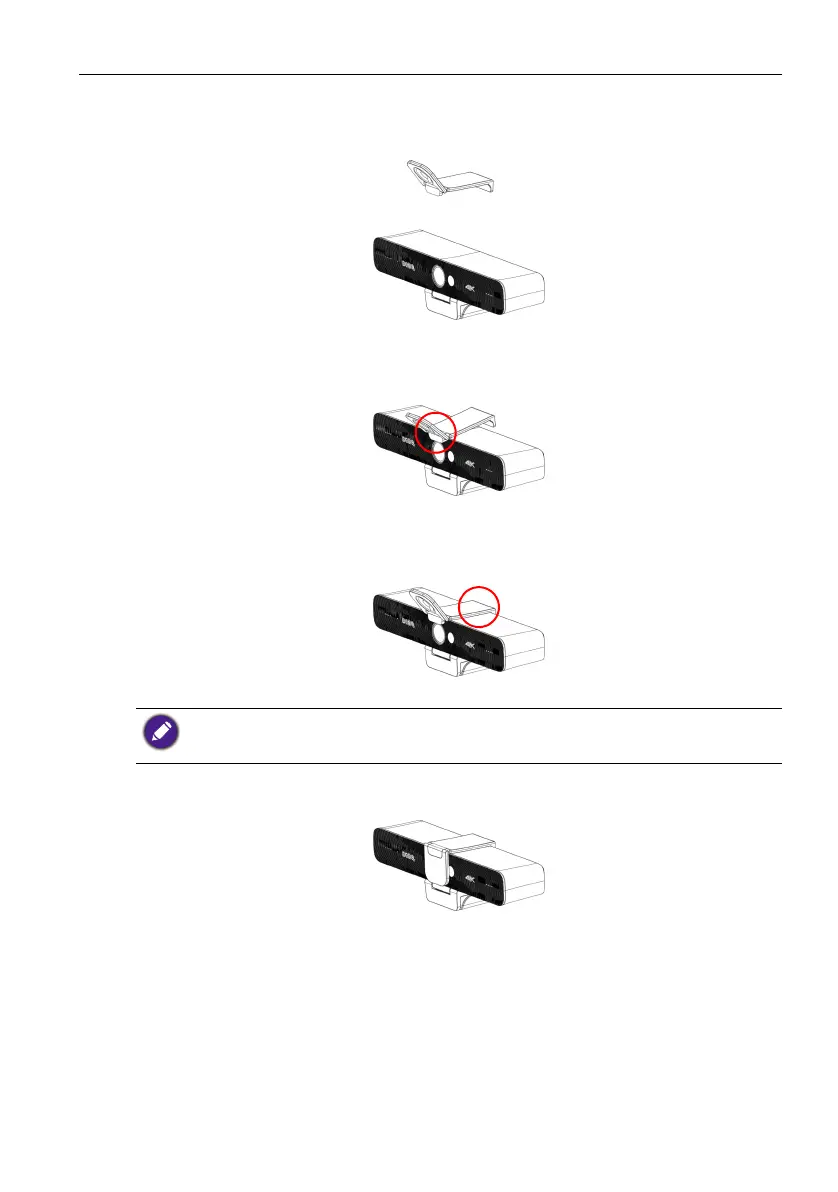
1. Flip up the cap of the privacy cover.
2. Lean the privacy cover slightly forward on the front of the camera and make sure
that the cap is lined up with the camera lens.
3. Push the privacy cover onto the top side of the camera to make sure that the indent
on the cover fits properly on the camera.
4. To use, flip the cap down to cover the lens.
Once the privacy cover is installed on the camera, do not attempt to shift it to the right or left.
This may scratch the surface of the camera. To move the cover’s position, remove it from the
camera and re-install it in the correct position.


 To Next Page