114 Dodatak: Upotreba (Launcher) za verziju softvera stariju od v01.00.19.00
Wireless Projection for Android
TM
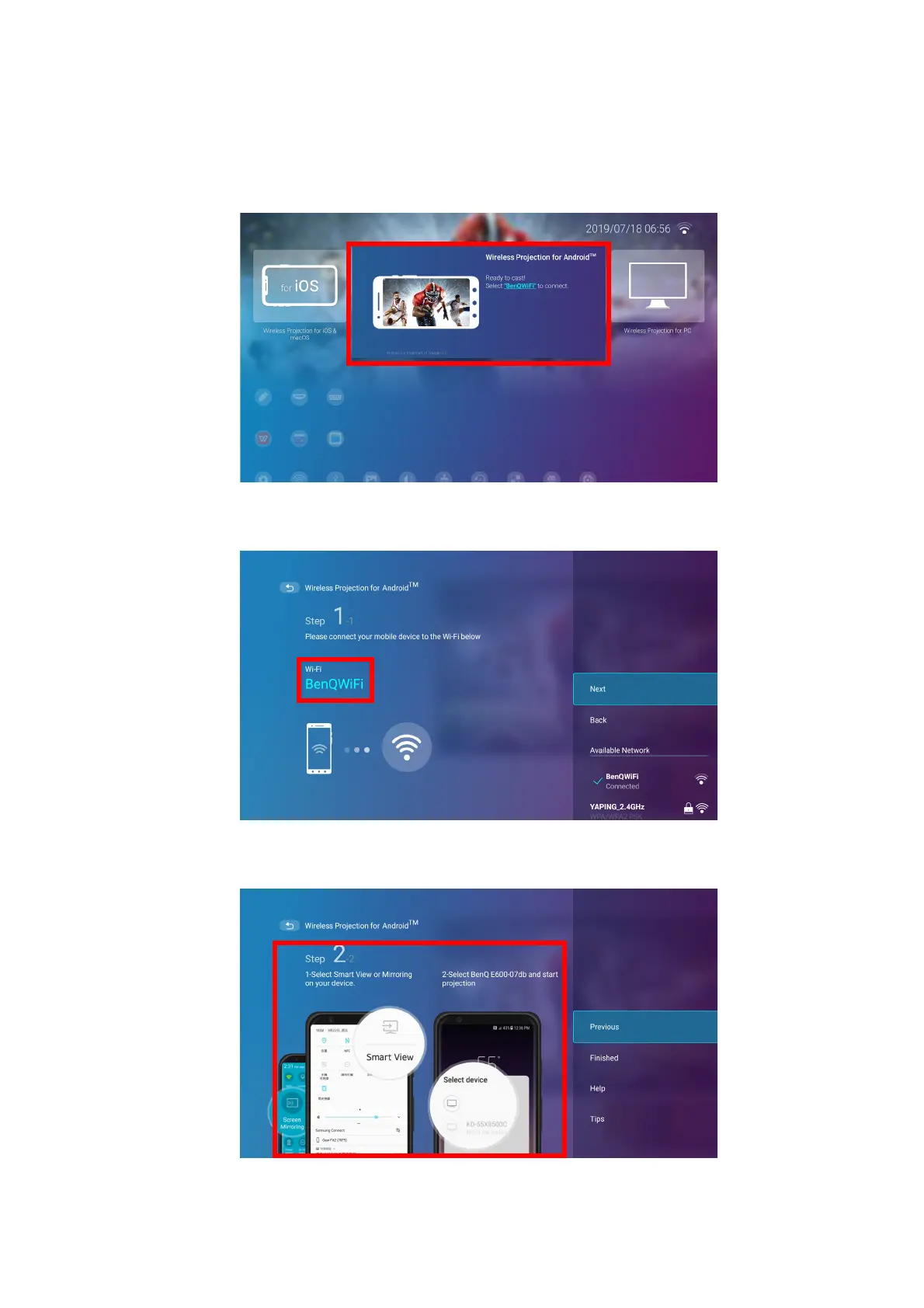
To connect an Android
TM
device to the projector and cast your device’s screen:
1. On the home screen of the BenQ Launcher interface, select Wireless Projection for
Android™ and press OK.
2. On your Android mobile device’s wireless network menu connect to the wireless network
shown on the Wireless Projection for Android™ screen and then select Next.
3. Follow the instructions shown on the Wireless Projection for Android™ screen to project
your Android device’s screen.













 To Next Page