31 Upotreba (pod Launcher izvorom)
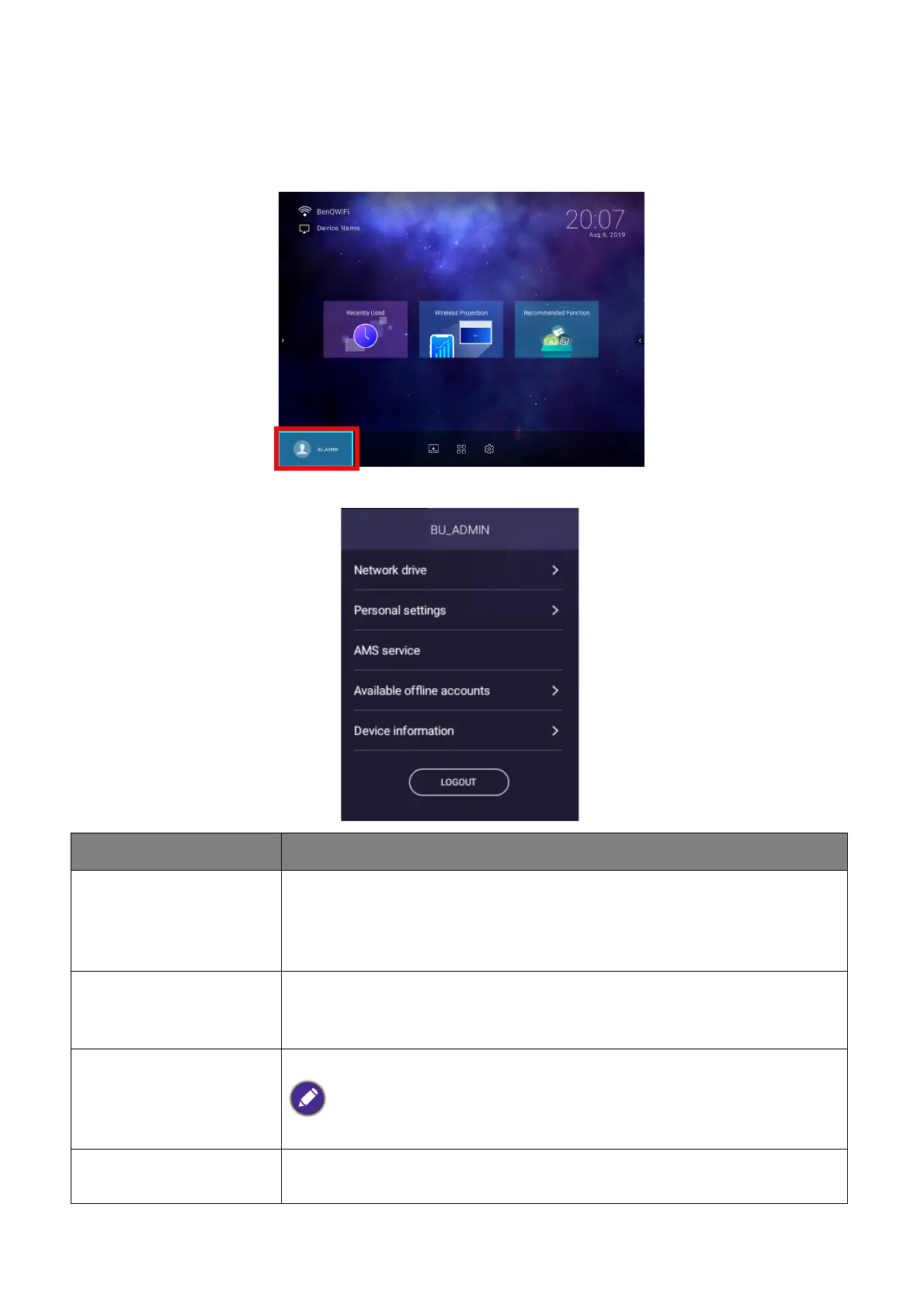
The Account Menu
When you are logged into the projector using an AMS account, the bottom-left corner of the
BenQ Launcher home screen will identify the account that is currently logged in. Select the
icon for the account name and press OK to open a menu of account related options.
The account menu features the following options:
Item Description
Network drive
Opens your personal files via the AMS Files app, where you can
access files stored on the cloud storage account that you’ve linked
to your AMS account or on the internal storage. See AMS Files on
page 58 for more information of the features of the AMS Files app.
Personal settings
Allows you to set the amount of idle time before the projector
automatically logs you out. The options include 10 minutes, 20
minutes, 30 minutes, 40 minutes, 50 minutes, and 60 minutes.
AMS service
Allows you to disable AMS Service.
This option is not available for User accounts.
Available offline
accounts
Lists the accounts that are available to login when the projector
does not have access to the Internet.













 To Next Page