32 Upotreba (pod Launcher izvorom)
Unbinding an administrator account from the projector
In instances when you want to switch an administrator account for the projector, you will have to
first unbind the current administrator account from the projector.
To unbind an administrator account:
1. Log in on the projector using the Username and Password for the current administrator.
See Logging in on page 29 for more information on how to log in on the projector.
2. Enter the account menu. See The Account Menu on page 31 for more information on the
account menu.
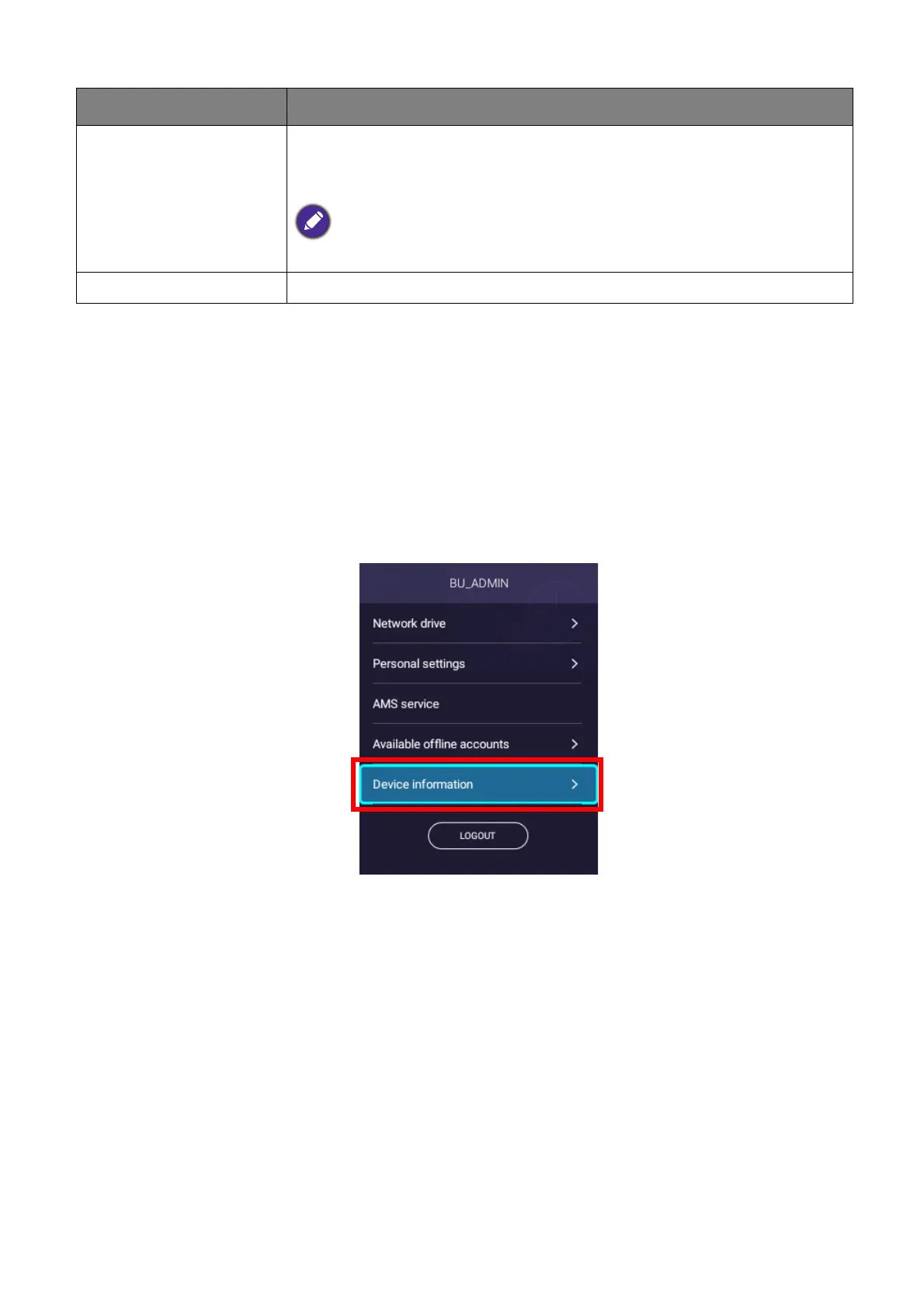
3. Select Device information in the account menu and press OK.
Device information
Lists the information for the administrator account that is bound to
the projector, including an option to UNBIND the account from your
projector.
The UNBIND option only appears for the administrator.
LOGOUT Logs your account out of the projector.
Item Description













 To Next Page