15
Connection
Connection
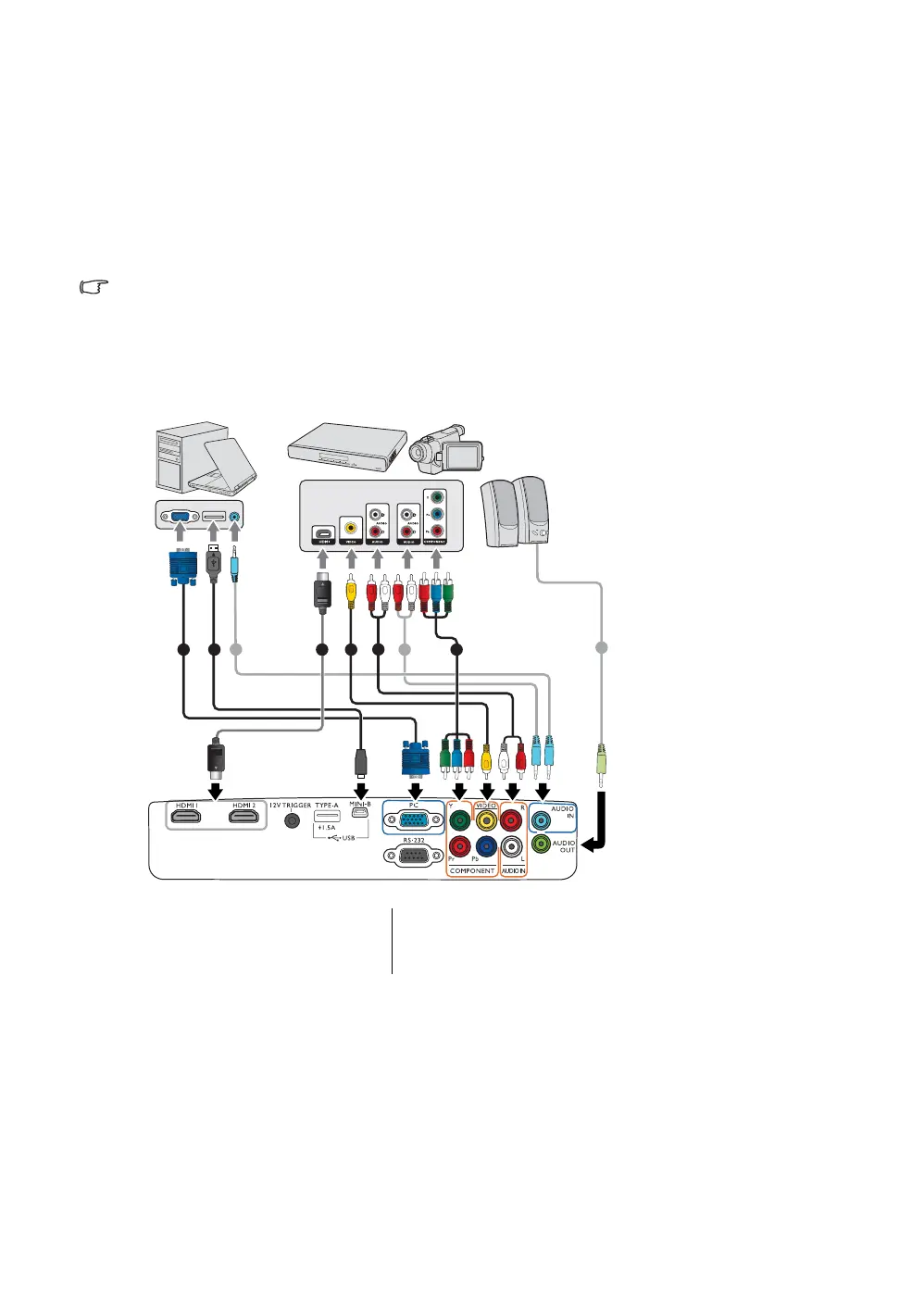
When connecting a signal source to the projector, be sure to:
1. Turn all equipment off before making any connections.
2. Use the correct signal cables for each source.
3. Make sure the cables are firmly inserted.
• In the connection illustrations shown below, some cables may not be included with the projector (see
Shipping contents). They are commercially available from electronics stores.
The illustrations below are for reference only. The rear connecting jacks available on the projector vary
with each projector model.
*For updating the firmware.
1. VGA cable
2. USB cable*
3. HDMI cable
4. Video cable
5. Audio L/R cable
6. Component video cable
7 651 4
2
7
7
3
Notebook or desktop computer
(VGA)
A/V device
Speakers


 To Next Page