17
Connection
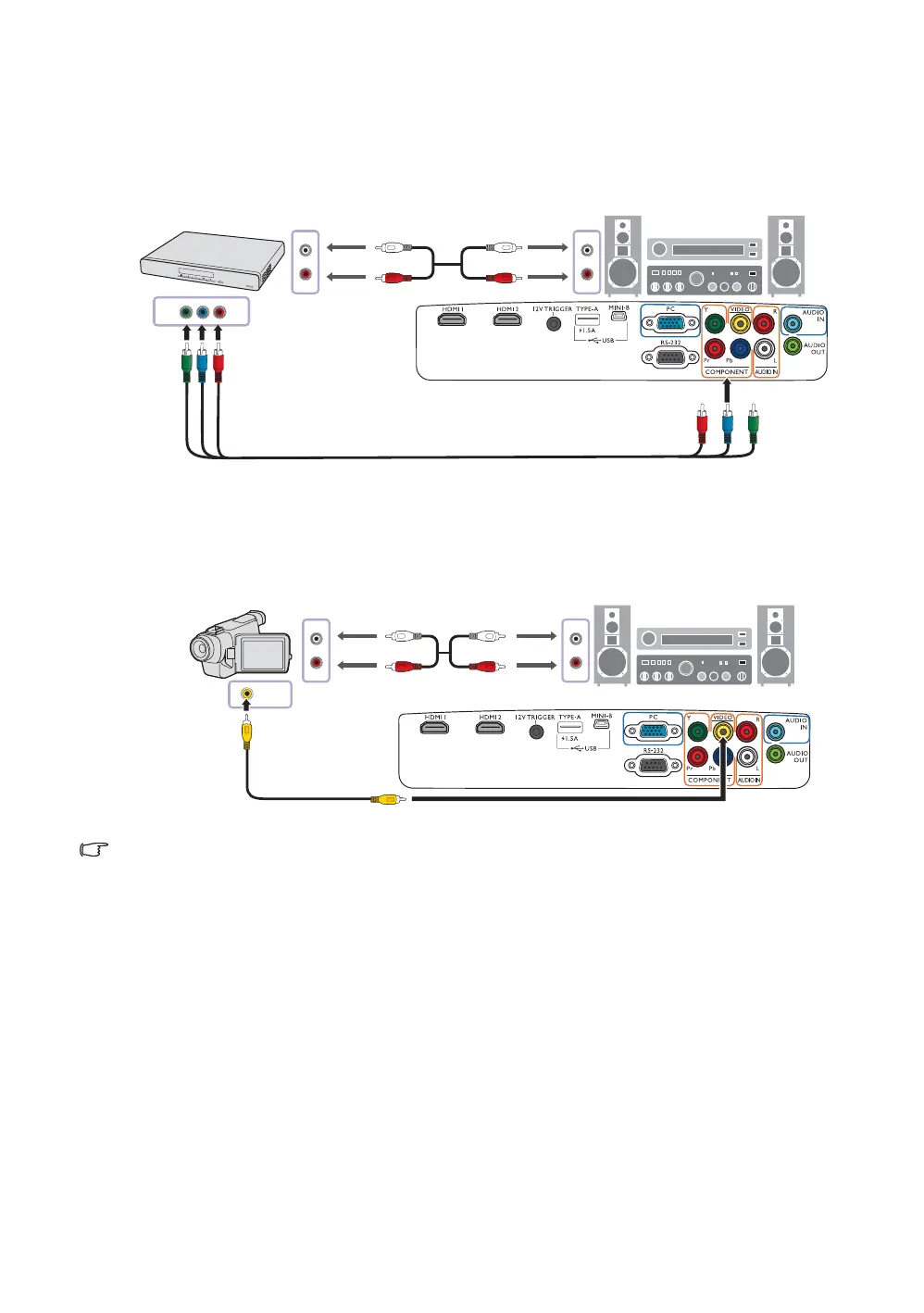
Connecting component video devices
The RCA type component video jacks are provided for connection to componet video output devices.
You should also connect the separate audio cable to a suitable audio amplifier.
Connecting video devices
Connect your video device to the projector with a composite video cable. You should also connect the
separate audio cable to a suitable audio amplifier.
If the selected video image is not displayed after the projector is turned on and the correct video source has
been selected, check if the video source device is turned on and operating correctly.
AV equipment: DVD
player, digital tuner, etc.
From audio output
terminals
To audio input
terminals
Component video cable
From audio output
terminals
To audio input terminals
composite video cable
AV equipment


 To Next Page