Using BenQ Joybee 120 MP3 Player 57
Disconnecting Joybee 120 from a PC
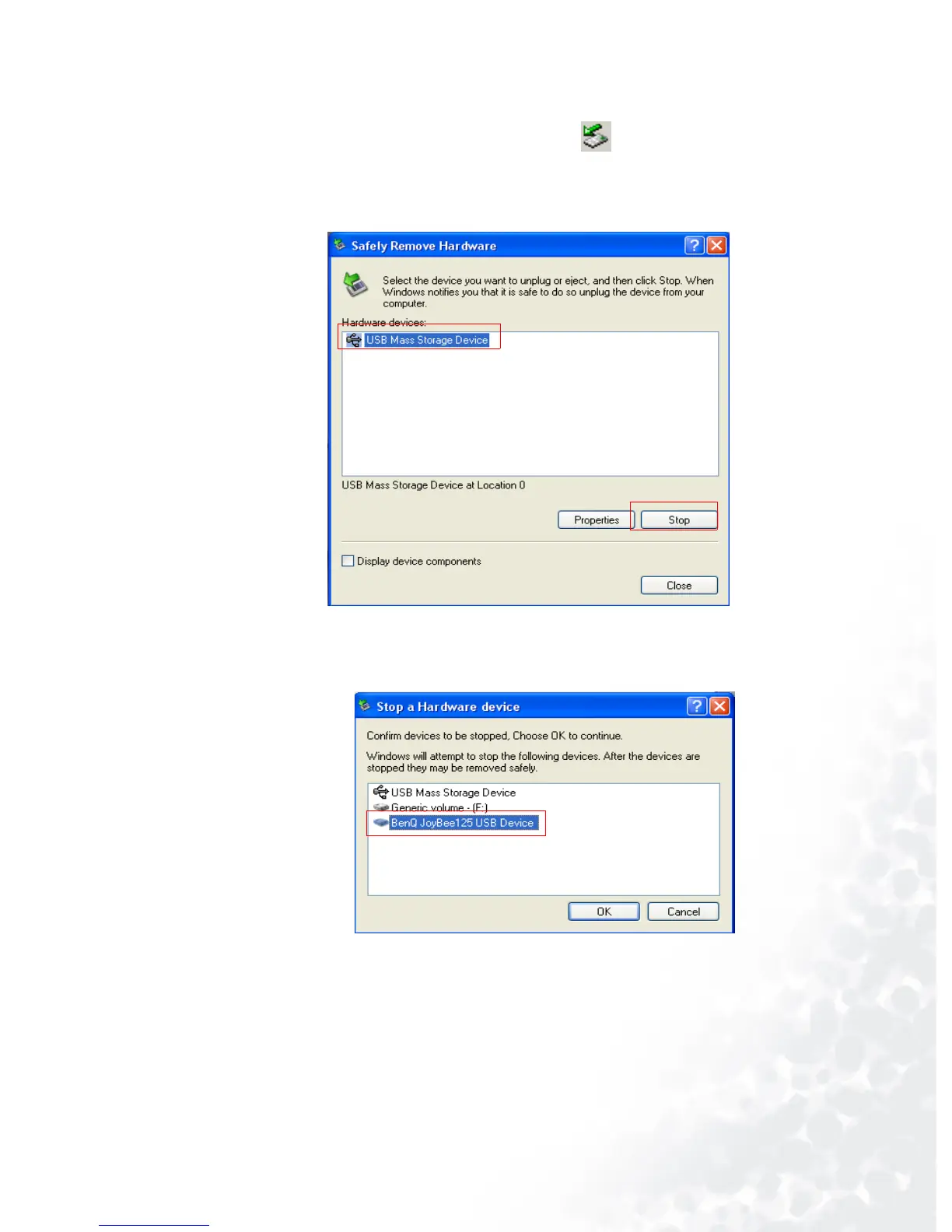
1. Double click the USB device icon on the taskbar tray.
2. A dialog box as shown below will appear on the screen. Select
USB Mass Storage Device in the dialog box and press Stop.
3. Another dialog box as shown bellow will appear on the
screen. Select BenQ Joybee 120 USB Device and press OK.



 To Next Page