48
Category Item Input length Maximum number of characters
Admin Password Enabled (Not applicable)
New Password 15
Conrm 15
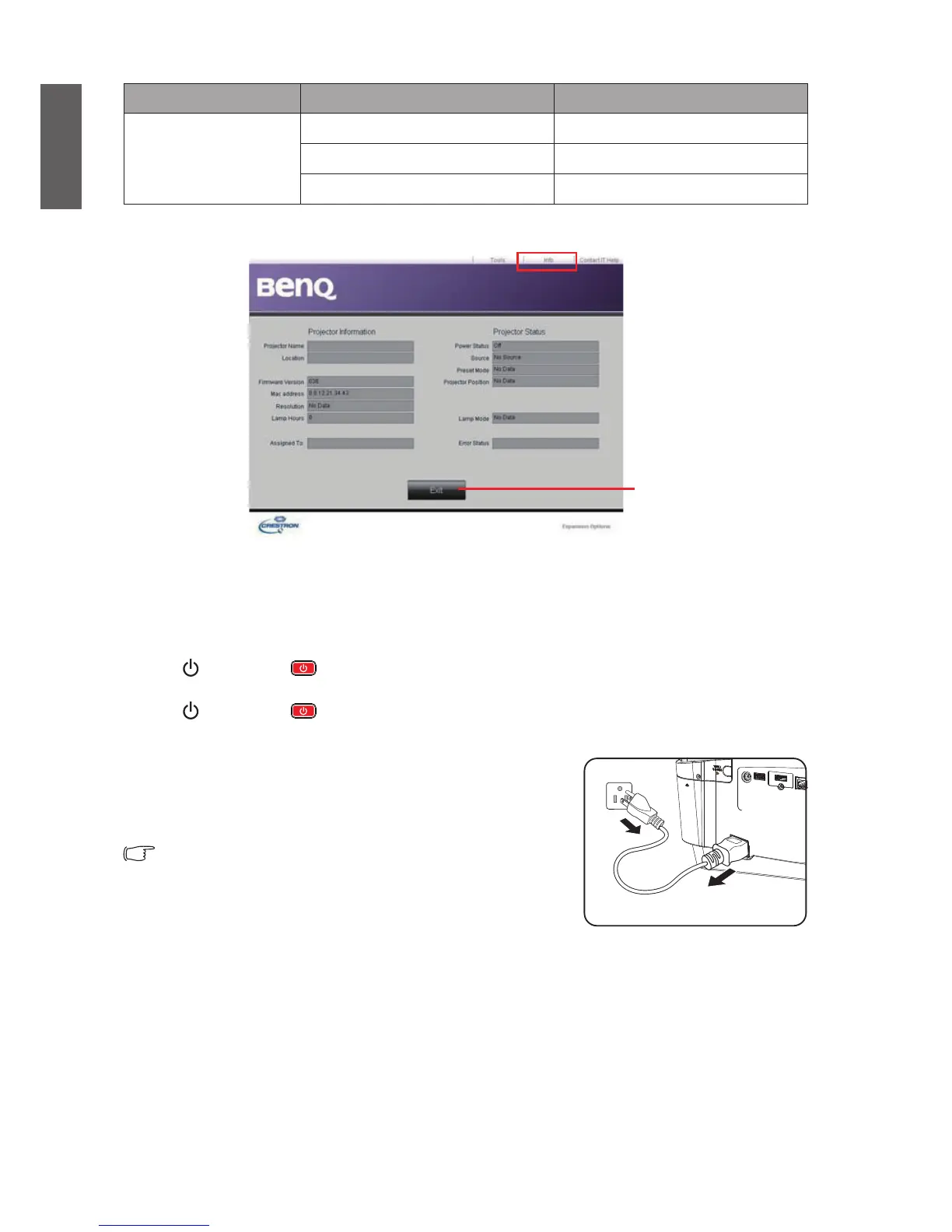
The Information page displays the information and status of this projector.
Press Exit to return to
the operation page of
remote control network.
Visit http://www.crestron.com and www.crestron.com/getroomview for details.
Shutting down the projector
1. Press POWER or OFF. A conrmation message displays prompting you. If you don't respond
in a few seconds, the message will disappear.
2. Press POWER or OFF a second time. POWER indicator light ashes orange and the
projector lamp shuts down.
3. After cool down, you will hear the "power-off ring tone".
POWER indicator light shows stable orange and the fan
stops. Pull off the power cable from the socket.
y To turn off the power-off ring tone, refer to
“Power On/Off Ring Tone” on page 43 for
details.


 To Next Page