7 Introduction
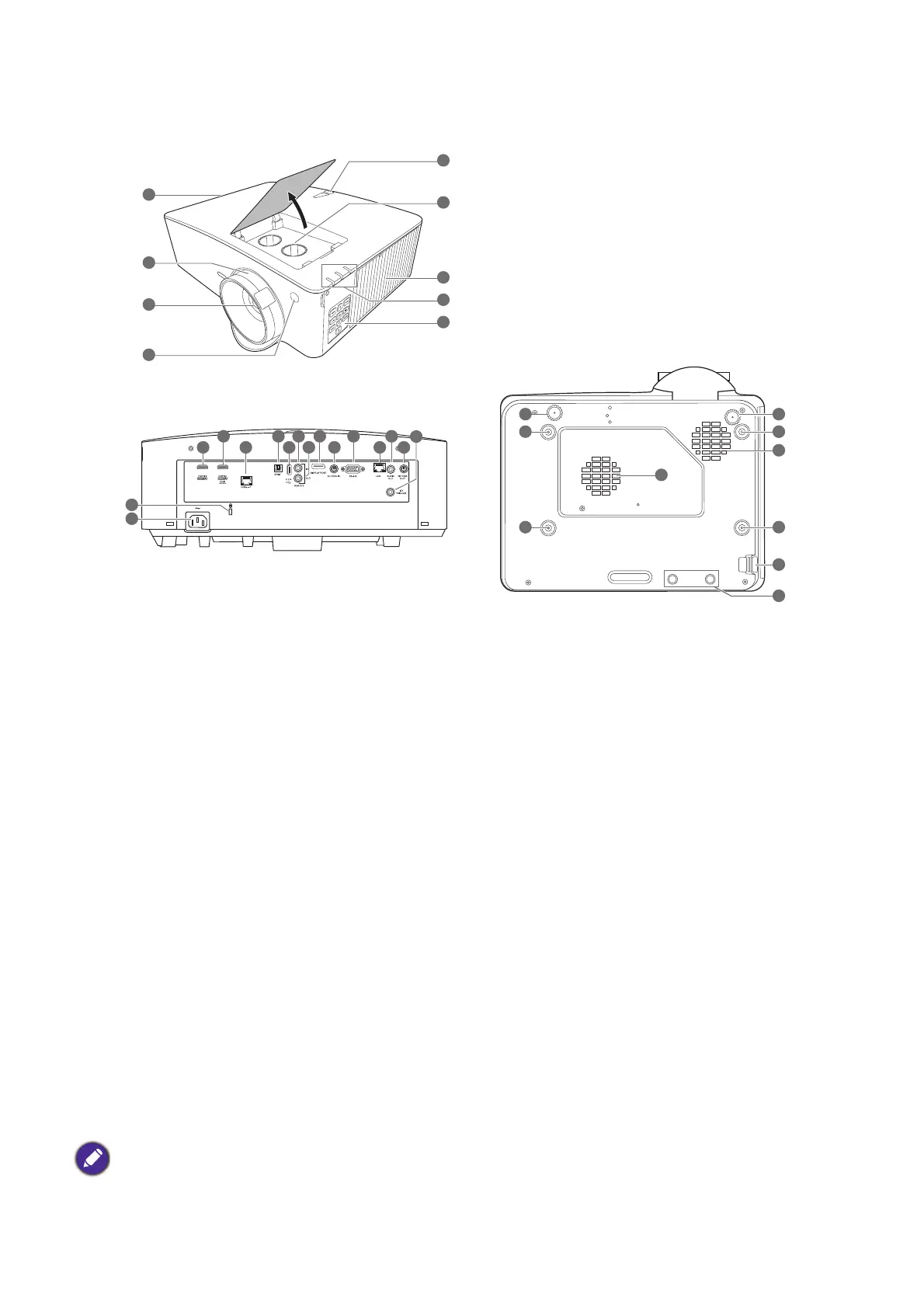
Projector exterior view
1. Vent (air exhaust)
2. Focus and zoom ring
3. Projection lens
4. IR remote sensor
5. Lens shift adjustment knobs (LEFT/RIGHT,
UP/DOWN)
6. Vent (air inlet)
7. POWER indicator light/TEMPerature
warning light/LIGHT indicator light
(See Indicators on page 52.)
8. External control panel
(See Controls and functions on page 8.)
9. HDMI 1 input port
10. HDMI 2 input port
11. HDBaseT port
For connection to a HDBaseT transmitter
via an Ethernet cable (Cat5e/Cat6) to input
up to 1080/60p timing, RS232 control signal
and IR control signal. The HDBaseT port
does not support LAN control.
12. S/PDIF port
13. USB Type A port (5V/2A power supply)
14. Wired remote input
15. Wired remote output
16. DisplayPort
17. 3D VESA input
18. RS-232 control port
19. RJ-45 LAN input jack
20. Audio output jack
21. 3D VESA output
22. 12V trigger
23. Kensington anti-theft lock slot
24. AC power jack
25. Wall mount holes
26. Adjuster feet
27. Security bar
28. InstaShow holes
*Power for WDC20 should come from external power supply.
6
6
25
25
25
26 26
25
27
1
3
2
4
4
5
8
6
7
28
23
24
9
11 13 17 19 21
10 16 18 2012 14
15
22



 To Next Page