13 Positioning your projector
Obtaining a preferred projected image size
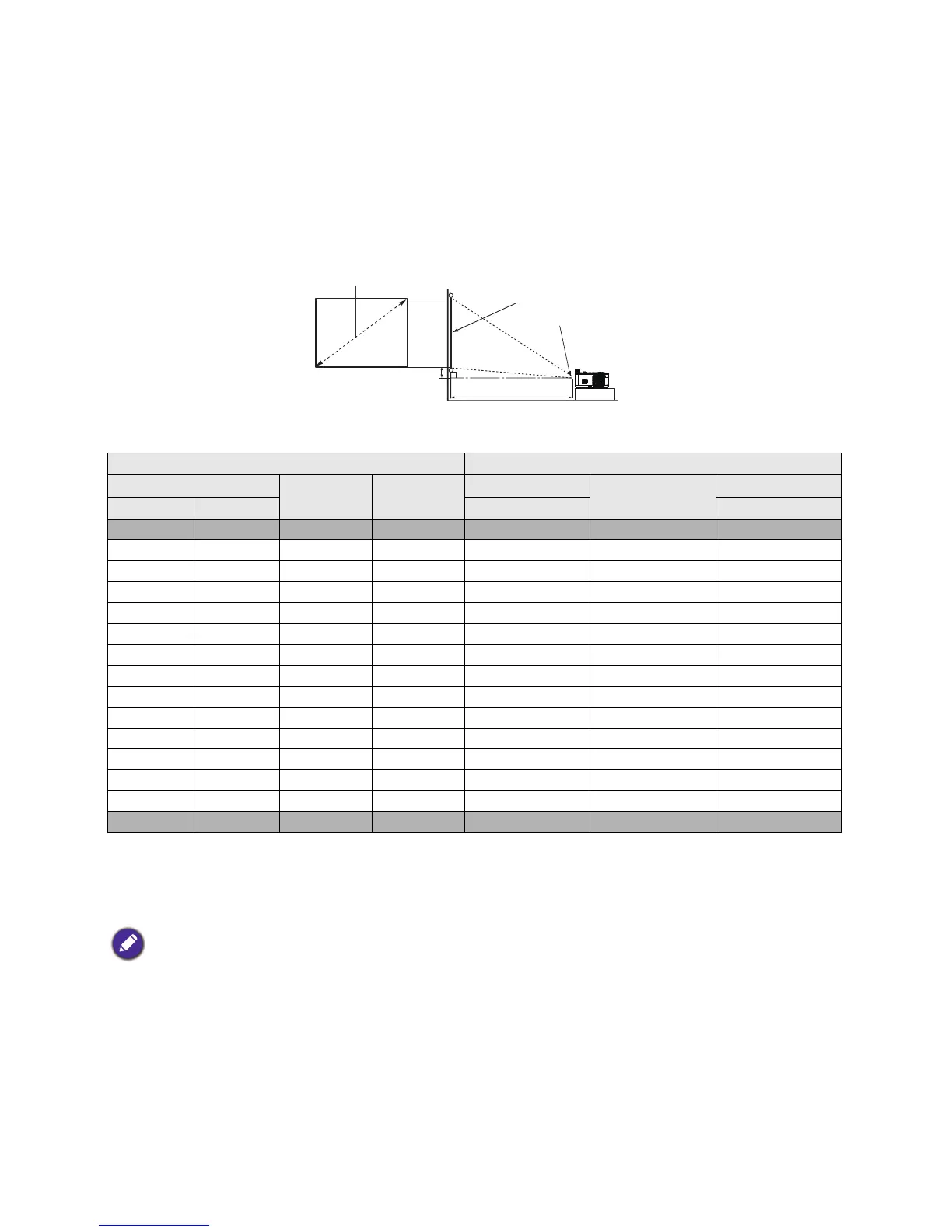
The distance from the projector lens to the screen, the zoom setting (if available), and the video format
each factors in the projected image size.
Projection dimensions
LX720
• The screen aspect ratio is 4:3 and the projected picture is in a 4:3 aspect ratio
For example, if you are using a 120-inch screen, the recommended projection distance is 5681 mm.
• If your measured projection distance is 7500 mm, the closest match in the "Projection distance (mm)"
column is 7587 mm. Looking across this row shows that a 160'' (about 4.0 m) screen is required.
Screen size Projection distance (mm)
Diagonal
H (mm) W (mm)
Min distance
Average
Max distance
Inch mm (max. zoom) (min. zoom)
30 762 457 610 1093 1395 1696
40 1016 610 813 1468 1871 2273
50 1270 762 1016 1844 2347 2850
60 1524 914 1219 2220 2823 3426
80 2032 1219 1626 2972 3776 4580
100 2540 1524 2032 3724 4729 5733
120 3048 1829 2438 4476 5681 6886
140 3556 2134 2845 5228 6634 8040
160 4064 2438 3251 5980 7587 9193
180 4572 2743 3658 6731 8539 10346
200 5080 3048 4064 7483 9492 11500
220 5588 3353 4470 8235 10444 12653
250 6350 3810 5080 9363 11873 14383
270 6858 4115 5486 10115 12826 15536
300 7620 4572 6096 11243 14255 17266
All measurements are approximate and may vary from the actual sizes.
BenQ recommends that if you intend to permanently install the projector, you should physically test the projection
size and distance using the actual projector in situ before you permanently install it, so as to make allowance for this
projector's optical characteristics. This will help you determine the exact mounting position so that it best suits your
installation location.


 To Next Page