28 Operation
Upgrading firmware via LAN
The BenQ Easy Firmware Updater is a software program that enables remote and centralized upgrade
the BenQ network projector on a host computer.
The key features of the BenQ Easy Firmware Updater include:
• Search for projectors in the different subnet.
• Support multiple projectors firmware upgrade at the same time (up to 255).
For more information about the tool, please contact BenQ service.
Controlling the projector remotely via a web browser
Once you have the correct IP address for the projector and the projector is on or in standby mode, you
can use any computer that is on the same local area network to control the projector.
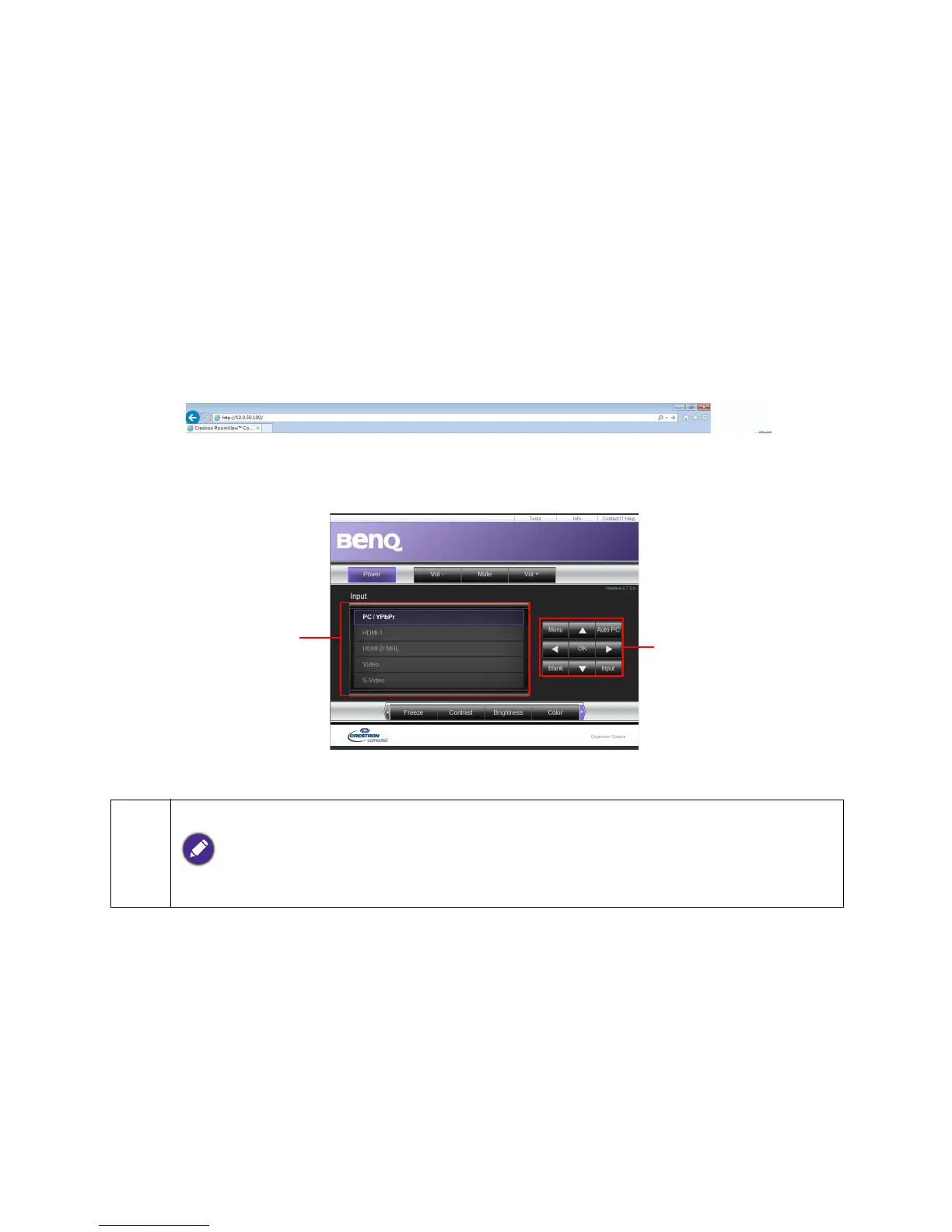
1. Enter the address of the projector in the address bar of your browser and click Go.
2. The remote network operation page opens. This page (Crestron eControl) allows you to operate
the projector as if you were using the remote control or control panel on the projector.
1. To switch input source, click on your desired signal.
The source list varies according to the connectors available on the projector. ''Video'' stands for the Video
signal.


 To Next Page