20
2 Getting Started
2.1 Inserting the memory card(s)
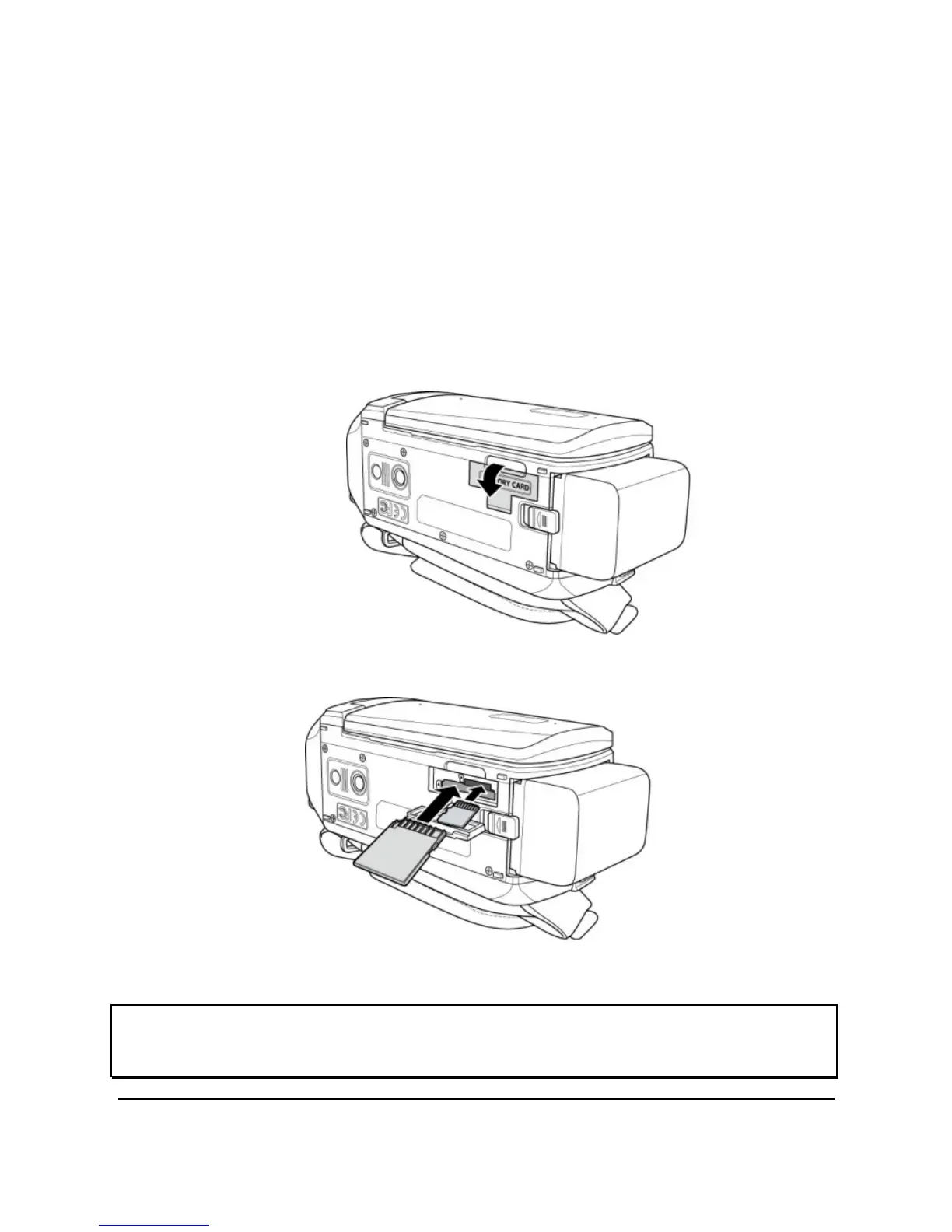
This device supports dual memory card slot that allows you to insert two
memory cards at the same time. You can insert one SD card and one
micro SD card into the digital video camera.
1. Open the memory card slot cover.
2. Insert the memory card(s).
3. Close the memory card slot cover.
Note: Do not remove or insert the memory card when the digital video camera is turned on. This
may damage the memory card.



 To Next Page