41
3.5 Shooting photos
1. Turn on the digital video camera. By default, the device is set to
Video mode.
2. Press the Mode button to switch to Camera mode.
3. Press the Record button to capture a photo.
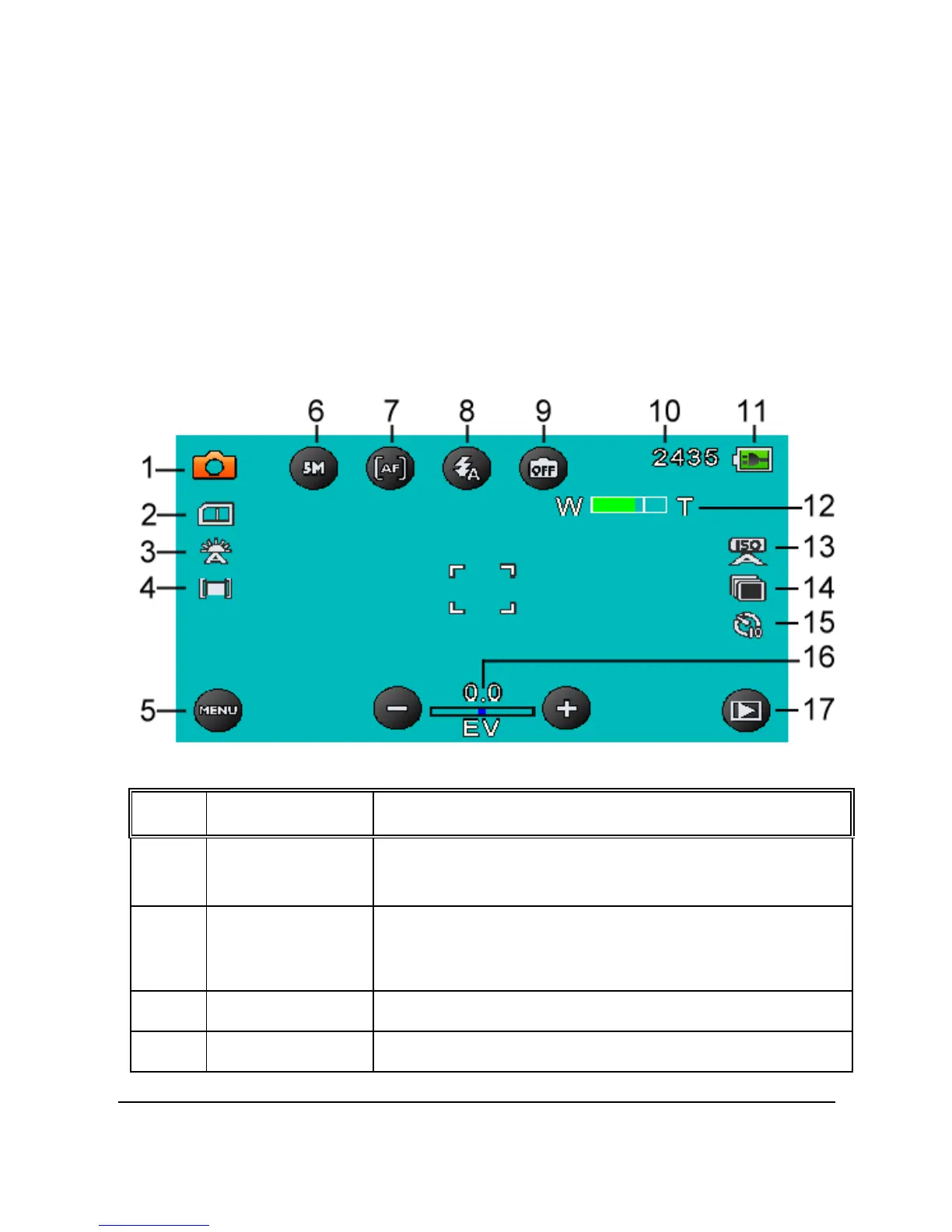
3.5.1 The shooting screen
No.
Item
Description
1
Camera mode
Indicates the digital video camera is
currently in Camera mode.
2
Card type
Indicates the memory card type in use.
3 White balance Indicates the current white balance mode.
4 Metering mode Indicates the current AE metering mode.



 To Next Page