Operation
43
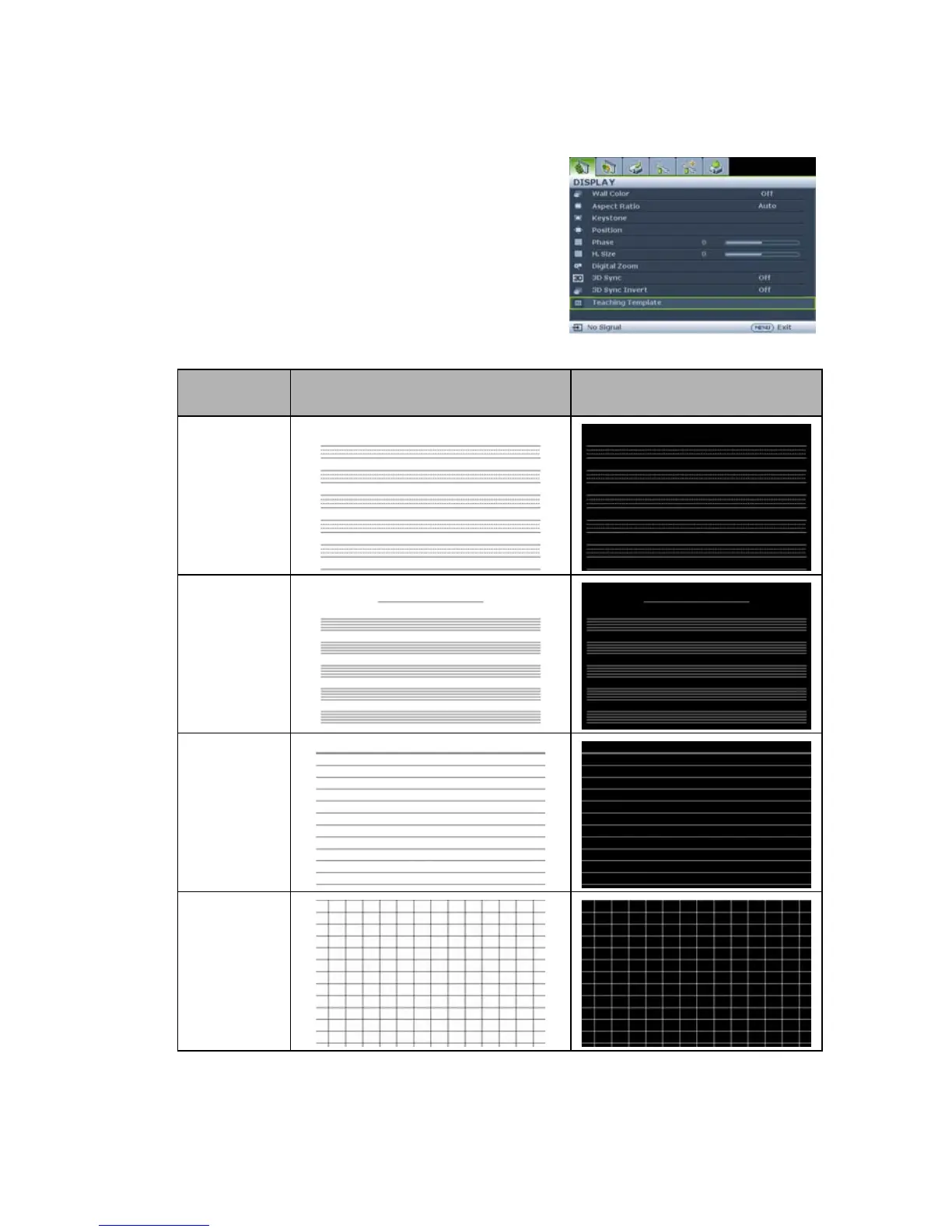
U s e Te a c h i n g Te m p l a t e
Making writing on the board easier for teachers, you can use build-in template by OSD.
Open the OSD menu and go to the DISPLAY >
Teaching Template . Choice Blackboard/
Whiteboard. > Off/ Letter Formation/ Musical
Staff/ Worksheet/ Coordinate Chart. The
Teaching Template displays.
Teaching
Template
Whiteboard Blackboard
Letter
Formation
Musical Staff
Worksheet
Coordinate
Chart



 To Next Page