Operation
46
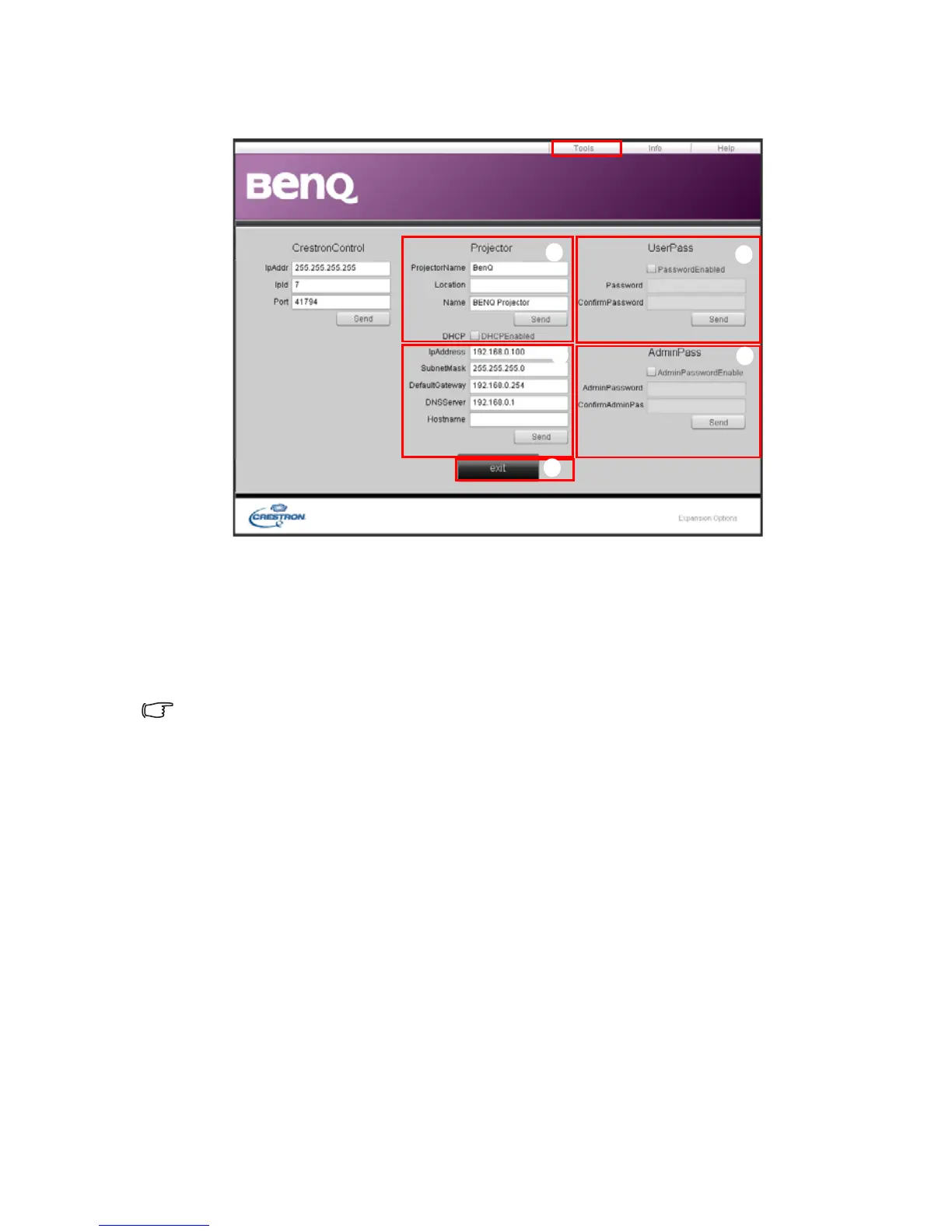
The tools page allows you to manage the projector, configure the LAN control settings and
secure access of remote network operation on this projector.
i. You can name the projector, keep track of its location and the person in charge
of it.
ii. You can adjust the Wired LAN settings.
iii. Once set, access to the remote network operation on this projector has been
password-protected.
iv. Once set, access to the tools page has been password-protected.
After making the adjustments, press the Send button and the data will be saved in the projector.
v. Press exit to go back to the Crestron remote network operation page.
iii
ii
iv
v
i



 To Next Page