Maintenance 67
• Do not wash the filter with the water or other liquid matter.
• When the lamp is replaced, the filter should also be replaced, not cleaned.
Resetting the filter timer
5. After the startup logo, open the On-Screen Display (OSD) menu. Go to the
SYSTEM SETUP: Basic > Operation Settings menu. Press ENTER. The
Operation Settings page displays. Highlight Reset Filter Timer. A warning
message displays asking if you want to reset the filter timer. Highlight Reset and press
ENTER. The filter time will be reset to '0'.
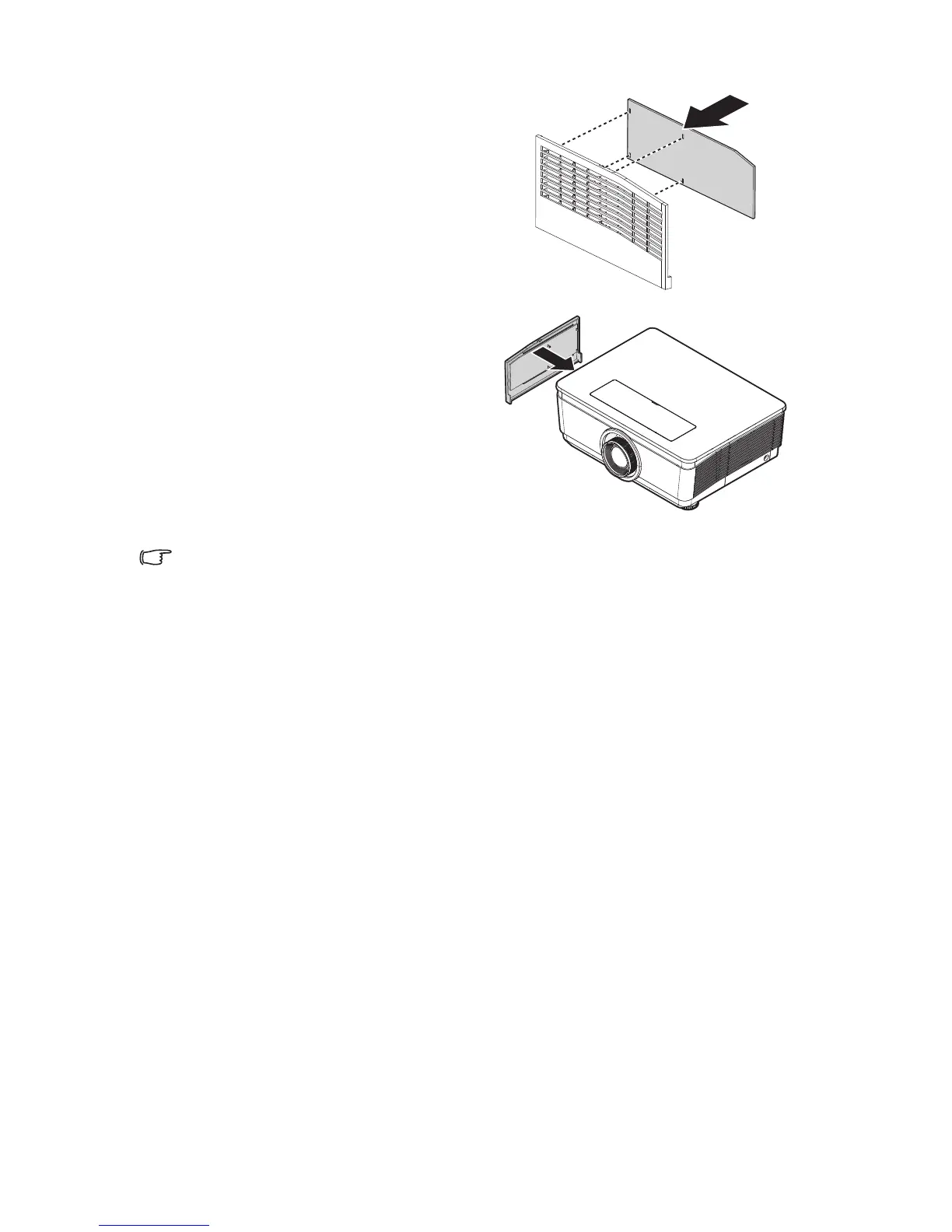
3. Replace a new filter module or replace
filter into cover.
4. Replace the filter cover back to the
projector by pushing gently in the
direction shown.


 To Next Page
 Loading...






