6
Connection with a projector and initial setup
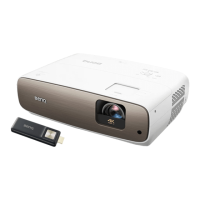
1. Connect the Micro-USB cable to the Micro-USB port on the dongle.
2. Connect the dongle to the HDMI port on the projector.
3. Connect the USB type-A connector of the Micro-USB cable to the USB port on the projector. The USB port on
the projector that you connect the cable to must provide 5V/1A power. If the LED indicator on the dongle does
not light up blue after the projector is powered on, the USB port on your projector may not supply enough power
and you may need to connect the cable to a power socket via a standard USB power adapter.
4. Once the projector is powered on, switch the input source on the projector to the HDMI port where the dongle
is connected to.
5. Press and hold the OK key on the dongle's remote control for 3 seconds to pair it with the dongle.
3 seconds
6. Once the pairing is complete, the Home screen is displayed. See "Home screen" on page 7 for more
information.
7. Establish network connection and login to your Google account (or create a new one) to complete the initial
setup.


 To Next Page