
EasyManua.ls Logo

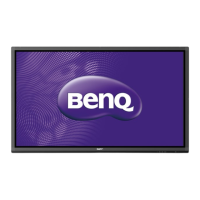
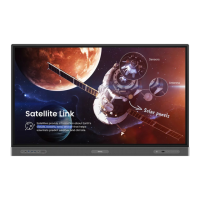
BenQ RP840 - User Manual

BenQ RP840
86 pages
Print Icon
To Next Page IconTo Next Page
Loading...
RP552 / RP552H / RP840G
Interactive Flat Panel
User Manual

Questions and Answers

  • K
    kmontgomeryAug 29, 2025
    How to fix signal out of range on BenQ RP840 Interactive whiteboard?
    • R
      Robert DickersonAug 29, 2025
      To resolve a 'Signal out of range' error on your BenQ Interactive whiteboard: * Verify the display settings are correct. * Ensure the resolution is set to the optimal level. * Adjust the line and field synchronization within the menu.
  • J
    John VazquezSep 5, 2025
    How to fix 'Signal out of range' on BenQ RP840 Interactive whiteboard?
    • T
      Tiffany HicksSep 6, 2025
      If your BenQ Interactive whiteboard displays a 'Signal out of range' message, verify that the display settings are correct and the resolution is set to the optimal value. You can also try adjusting the line and field synchronization in the menu.
  • C
    charleshicksAug 28, 2025
    Why does BenQ Interactive whiteboard machine automatically shutdown?
    • G
      Gerald MccoyAug 28, 2025
      If your BenQ Interactive whiteboard is automatically shutting down, consider the following: * Check the sleep settings. * Check for any recent power outages. * Check if the automatic shutdown feature is enabled when there is no signal.
  • S
    Susan MarksSep 23, 2025
    What to do if my BenQ RP840 Interactive whiteboard has image but without sound?
    • E
      Elizabeth Hebert DDSSep 23, 2025
      If your BenQ Interactive whiteboard has an image but no sound, check if the mute button is pressed. If so, unmute. Then, adjust the volume using the VOL + / - buttons. Finally, ensure that the audio line is correctly connected.
  • J
    Jamie SawyerSep 6, 2025
    Why is the color incorrect on my BenQ RP840?
    • E
      Elijah WagnerSep 7, 2025
      If the image on your BenQ Interactive whiteboard lacks color or the color is incorrect, first check the VGA connection to ensure it's secure and of good quality. If the problem persists, adjust the chromaticity, brightness, and contrast in the menu settings.
  • M
    Mark SpencerSep 9, 2025
    Why does only one speaker have sound on my BenQ Interactive whiteboard?
    • J
      justin22Sep 10, 2025
      If only one speaker has sound on your BenQ Interactive whiteboard, adjust the sound balance in the menu. Check whether the computer sound control panel is set up for only one sound channel. Also, verify that the audio line is connected correctly.
  • C
    charles51Sep 14, 2025
    What to do if my BenQ RP840 Interactive whiteboard control panel buttons do not work?
    • M
      Madison WolfeSep 14, 2025
      If the control panel buttons on your BenQ Interactive whiteboard are not working, check if you have locked the control panel buttons. If so, unlock the buttons and try again.
  • S
    Steven SchwartzSep 23, 2025
    What to do if my BenQ RP840 Interactive whiteboard has no color, color is weak or image is weak?
    • S
      smithkerriSep 23, 2025
      If your BenQ Interactive whiteboard displays no color, weak color, or a weak image, adjust the chromaticity and brightness or contrast in the menu. Also, ensure that the signal wire is properly connected.
  • J
    Joshua JoyceAug 26, 2025
    Why is the touch positioning not correct on my BenQ RP840 Interactive whiteboard?
    • W
      William SnyderAug 26, 2025
      If the touch positioning is not correct on your BenQ Interactive whiteboard, check that the driver is properly installed and calibrated. Also, ensure that the touch pen is facing the screen correctly.
  • P
    Priscilla McclureAug 25, 2025
    Why is the touch function invalid on my BenQ Interactive whiteboard?
    • P
      Paul LawrenceAug 26, 2025
      If the touch function on your BenQ Interactive whiteboard isn't working, verify that the touch driver is installed and running. Also, ensure that the size of the object you're using to touch the screen is comparable to a finger.

BenQ RP840 Specifications

General IconGeneral
Brightness350 cd/m²
Response Time8 ms
Screen Size84 inches
Resolution3840 x 2160 (4K UHD)
Touch TechnologyInfrared
Contrast Ratio1200:1
Operating SystemAndroid
Speakers2 x 15W
ConnectivityHDMI, USB, LAN

Related product manuals