EasyManua.ls Logo

BenQ SP891 - Page 39

BenQ SP891
64 pages
Print Icon
To Next Page IconTo Next Page
To Previous Page IconTo Previous Page
Loading...
39
Using the projector
English
Please pay attention to the limitation of input length (including space and other punctuation keys) in
the list blow:
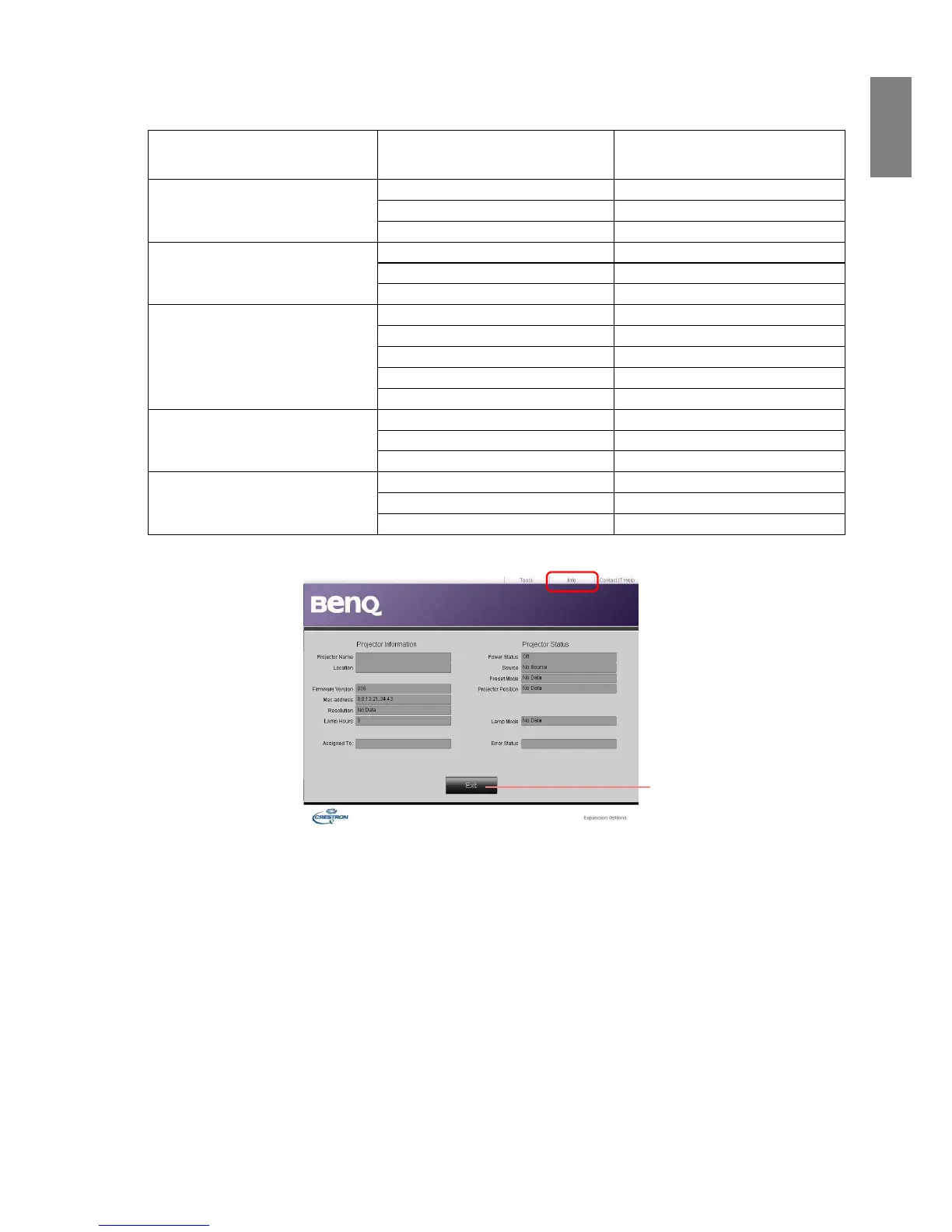
The info page displays the information and status of this projector.
For more information, visit http://www.crestron.com & www.crestron.com/getroomview.
Category Item Input Length
Maximum Number of
Characters
Crestron Control
IP Address 15
IP ID 2
Port 5
Projector
Projector Name 10
Location 9
Assigned To 9
Network Configuration
DHCP (Enabled) (N/A)
IP Address 15
Subnet Mask 15
Default Gateway 15
DNS Server 15
User Password
Enabled (N/A)
New Password 20
Confirm 2
Admin Password
Enabled (N/A)
New Password 20
Confirm 20
Press Exit to go
back to the
remote network
operation page.

Table of Contents

Other manuals for BenQ SP891

Related product manuals