EasyManua.ls Logo

BenQ SW320 - User Manual

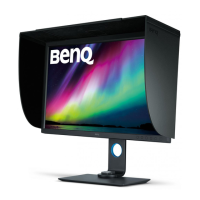
BenQ SW320
60 pages
Print Icon
To Next Page IconTo Next Page
Loading...
SW Series
LCD Monitor
User Manual
Question and Answer IconNeed help?

Do you have a question about the BenQ SW320 and is the answer not in the manual?

Summary

Power Safety

Care And Cleaning

Servicing

Getting started

Getting to know your monitor

Monitor Views and Ports

Overview of the monitor's front/back views, ports, and connections.

How to assemble your monitor hardware

Monitor Assembly and Connections

Guide to assembling the stand, connecting various cables, and initial power-up.

Stand and Base Removal

Procedure for safely detaching the monitor stand and base.

Shading Hood Installation

Steps for installing the optional shading hood for glare reduction.

Monitor Adjustment and Mounting

Adjusting height, rotation, viewing angles, and wall mounting procedures.

Getting the most from your BenQ monitor

Installing Monitor Drivers

Instructions for installing or upgrading BenQ LCD Monitor driver software on your computer.

How to adjust your monitor

Monitor Controls and OSD Navigation

Guide to the control panel, Hotkey Puck, and basic OSD menu operations.

Advanced Display Settings

Customizing hot keys, enabling HDR, adjusting color, and display modes.

Choosing an appropriate picture mode

Video source selection in PIP;PBP mode

Navigating the main menu

OSD Menu Overview

Guide to accessing and navigating the main OSD menu sections.

Display and Color Settings

Adjusting display parameters, color modes, and calibration settings.

PIP;PBP and System Configuration

Configuring Picture-in-Picture/Picture-by-Picture and system-level settings.

Troubleshooting

Imaging and Display Issues

Solutions for blurred images, pixel errors, faulty coloration, and distortion.

Power, OSD, and Connectivity Problems

Addressing LED indicators, OSD lock, 'Out of Range' messages, and audio issues.

HDR and Further Support

Troubleshooting HDR emulation and guidance on seeking additional help.

Summary

Power Safety

Care And Cleaning

Servicing

Getting started

Getting to know your monitor

Monitor Views and Ports

Overview of the monitor's front/back views, ports, and connections.

How to assemble your monitor hardware

Monitor Assembly and Connections

Guide to assembling the stand, connecting various cables, and initial power-up.

Stand and Base Removal

Procedure for safely detaching the monitor stand and base.

Shading Hood Installation

Steps for installing the optional shading hood for glare reduction.

Monitor Adjustment and Mounting

Adjusting height, rotation, viewing angles, and wall mounting procedures.

Getting the most from your BenQ monitor

Installing Monitor Drivers

Instructions for installing or upgrading BenQ LCD Monitor driver software on your computer.

How to adjust your monitor

Monitor Controls and OSD Navigation

Guide to the control panel, Hotkey Puck, and basic OSD menu operations.

Advanced Display Settings

Customizing hot keys, enabling HDR, adjusting color, and display modes.

Choosing an appropriate picture mode

Video source selection in PIP;PBP mode

Navigating the main menu

OSD Menu Overview

Guide to accessing and navigating the main OSD menu sections.

Display and Color Settings

Adjusting display parameters, color modes, and calibration settings.

PIP;PBP and System Configuration

Configuring Picture-in-Picture/Picture-by-Picture and system-level settings.

Troubleshooting

Imaging and Display Issues

Solutions for blurred images, pixel errors, faulty coloration, and distortion.

Power, OSD, and Connectivity Problems

Addressing LED indicators, OSD lock, 'Out of Range' messages, and audio issues.

HDR and Further Support

Troubleshooting HDR emulation and guidance on seeking additional help.

BenQ SW320 Specifications

General IconGeneral
Colorgray
Screen Typeled
Tiltableyes
Wall Mount100mm x 100mm
Webcamno
OS Compatibilitywindows, mac
Screen Size31.5 inches
Panel Typetn
Aspect Ratio16:9
Resolution3840 x 2160
Native Resolution3840 x 2160
Refresh Rate75hz
Horizontal Viewing Angle178 degrees
Vertical Viewing Angle178 degrees
Response Time5 milliseconds
Brightness350 candela per square meter
Contrast Ratio1000:1
Horizontal Scan Rate140 kilohertz
Built-In Speakersyes
DVI1
Power Consumption50 watts
Depth with Stand8.8 inches
Width with Stand29.4 inches
Net Weight without Stand22 pounds