9 Getting to know your monitor
Getting to know your monitor
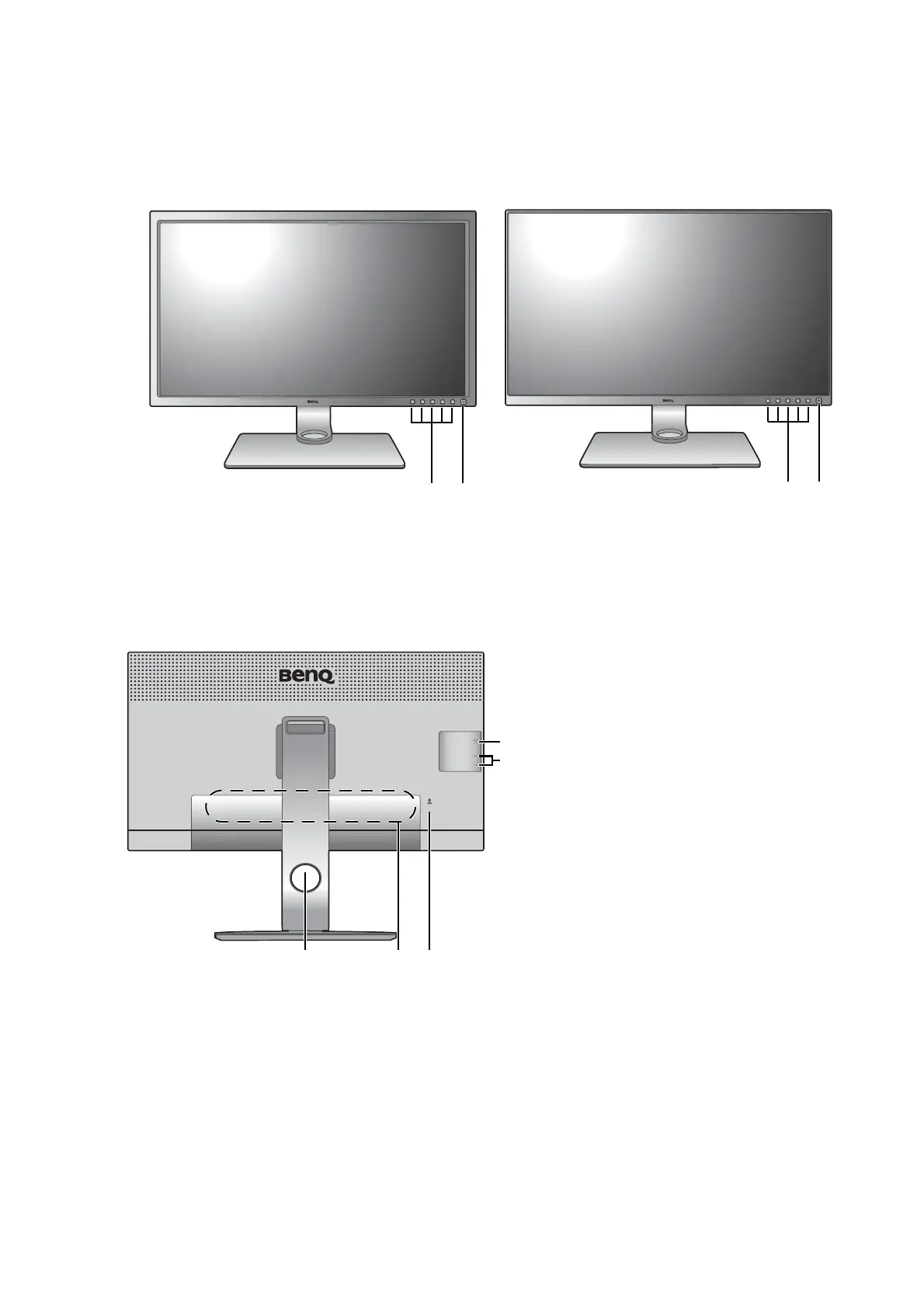
Front view
Back view
(For edge-to-edge models)
1. Control buttons
2. Power button
3. Cable management hole
4. Input and output ports (vary by
model, see Input and output
ports on page 10)
5. Kensington lock slot
6. USB ports (downstream;
connecting to USB devices)
7. SD card slot


 To Next Page