EasyManua.ls Logo

BenQ SX914 - User Manual

BenQ SX914
65 pages
Print Icon
To Next Page IconTo Next Page
Loading...
SX914
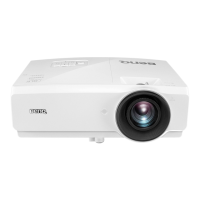
Digital Projector
User Manual

Table of Contents

Other manuals for BenQ SX914

Questions and Answers

  • S
    Sophia MccannAug 10, 2025
    What to do if my BenQ Projector has no picture?
    • N
      Nicole WoodwardAug 10, 2025
      If your BenQ Projector is displaying no picture, there are several potential causes: * The video source might not be turned on or connected correctly. Ensure the video source is on and the signal cable is properly connected. * The projector might not be correctly connected to the input signal device. Check the connection. * The input signal might not be correctly selected. Select the correct input signal using the SOURCE key on the projector or remote control. * The lens cover might still be closed. Open the lens cover.
  • K
    Katherine RobertsonAug 17, 2025
    How to fix BenQ Projector that does not turn on?
    • B
      bryan54Aug 17, 2025
      If your BenQ Projector isn't turning on, consider these potential causes: * There might be no power from the power cord. Plug the power cord into the AC power jack on the projector and into the power outlet. If the outlet has a switch, ensure it's switched on. * You might be attempting to turn the projector on again during the cooling process. Wait until the cooling down process has completed.
  • D
    Deborah FletcherAug 27, 2025
    What to do if BenQ SX914 remote control does not work?
    • E
      Erica HarveyAug 27, 2025
      If the remote control for your BenQ Projector isn't working, check the following: * The battery might be out of power. Replace the battery with new ones. * There might be an obstacle between the remote control and the projector. Remove the obstacle. * You might be too far away from the projector. Stand within 8 meters (26 feet) of the projector.
  • G
    garciatonySep 2, 2025
    Why is my BenQ Projector image blurred and how to fix it?
    • J
      Jonathan GuzmanSep 2, 2025
      A blurred image on your BenQ Projector could be due to several reasons: * The projection lens might not be correctly focused. Adjust the focus of the lens using the focus ring. * The projector and the screen might not be aligned properly. Adjust the projection angle and direction as well as the height of the projector if necessary. * The lens cover might still be closed. Open the lens cover.

Summary

Important Safety Instructions

Introduction

Projector Features

Lists the key features and capabilities of the BenQ SX914 projector.

Controls and Functions Overview

Explains the functions of buttons on the projector unit itself.

Remote Control Functions

Details the buttons and operations of the projector's remote control.

Positioning Your Projector

Choosing an Installation Location

Outlines four recommended installation locations for the projector.

Projected Image Size and Dimensions

Provides a chart for projected image sizes based on distance and screen dimensions.

Connection

Connecting Signal Sources

Illustrates how to connect various video and audio sources to the projector.

Operation

Starting Up the Projector

Step-by-step guide on how to power on and initialize the projector.

Adjusting Projected Image Settings

Covers adjusting projection angle, auto-adjustment, and image clarity.

Securing the Projector with Password

Details how to set up and utilize the projector's password protection feature.

Password Management and Recall

Covers procedures for forgetting, recalling, and changing the projector password.

Optimizing Image Display Settings

Covers wall color correction, selecting picture modes, and user-defined settings.

Projector Shutdown Procedures

Instructions for properly shutting down the projector and direct power off.

Maintenance

Care of the Projector

Covers general maintenance, cleaning lens and case, and storage/transport.

Lamp Information and Management

Details on lamp hours, extending life, economic mode, and auto power off settings.

Timing of Lamp Replacement

Explains lamp replacement warnings and indicators.

Replacing the Projector Lamp

Step-by-step guide for safely replacing the projector lamp.

Lamp Replacement Procedure and Timer Reset

Continues lamp replacement steps and describes resetting the lamp timer.

Troubleshooting

Common Issues and Solutions

Addresses projector not turning on, no picture, blurred image, remote issues, and password problems.

BenQ SX914 Specifications

General IconGeneral
BrandBenQ
ModelSX914
CategoryProjector
LanguageEnglish

Related product manuals