18 Operation
4. If you are prompted for a password, press the arrow keys to enter a 6-digit password. See Utilizing
the password function on page 20.
5. Switch all of the connected equipment on.
6. The projector will search for input signals. The current input signal being scanned appears. If the
projector does not detect a valid signal, the message “No Signal” will appear until an input signal is
found.
You can also press SOURCE to select your desired input signal. See Switching input signal on page
21.
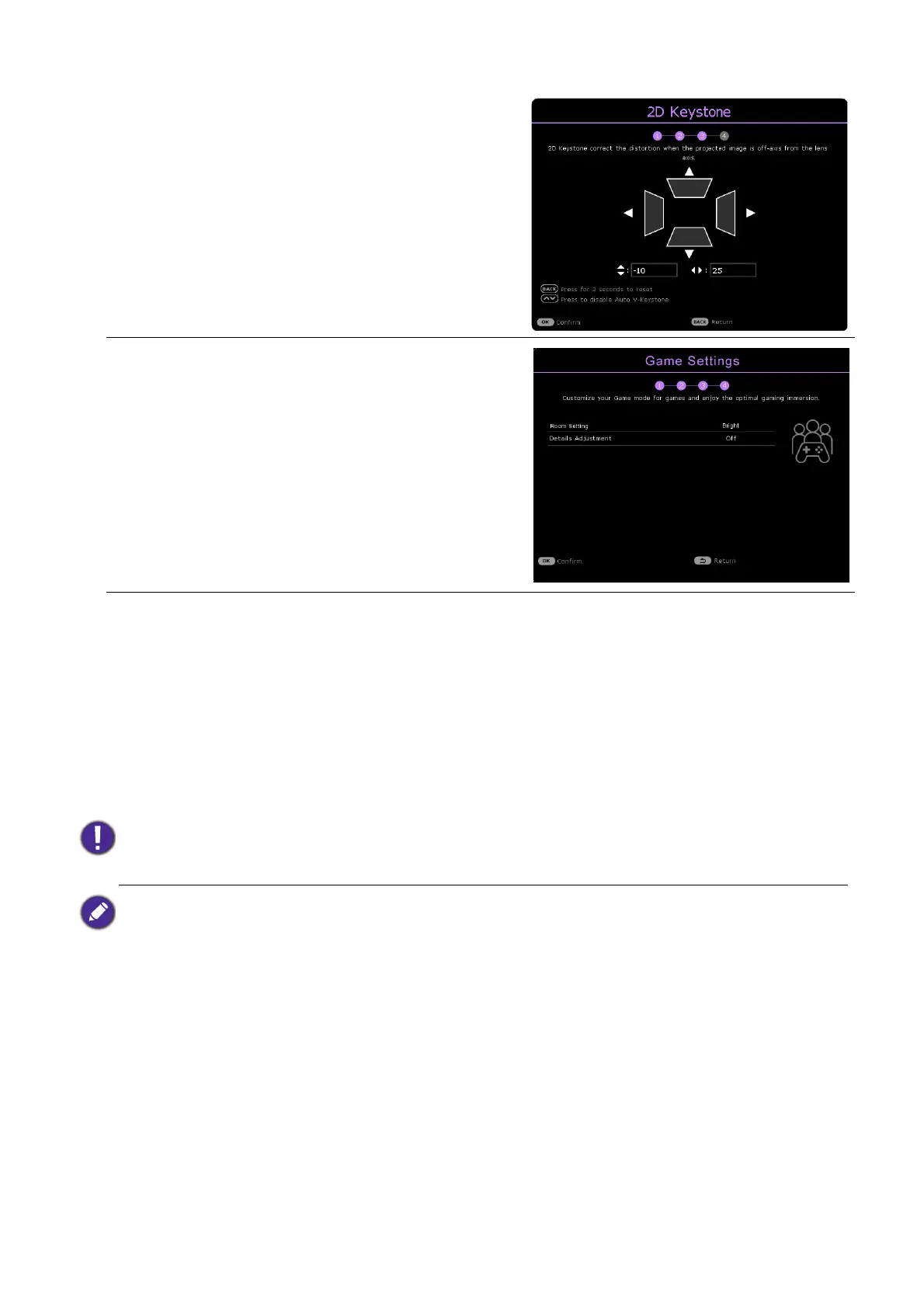
Step 3:
Specify 2D Keystone, and choose to activate Auto
Vertical Keystone.
For more information about keystone, see Correcting
keystone on page 15.
Step 4:
Specify Game Settings.
You can select a preferred Room Setting, and adjust
more image settings in this menu.
See Game Settings on page 26 for details.
Now you’ve completed the initial setup.
• Please use the original accessories (e.g. power cord) to avoid possible dangers such as electric shock and fire.
• If the projector is still hot from previous activity, it will run the cooling fan for approximately 2 seconds before
energizing the light source.
• The Setup Wizard screenshots are for reference only and may differ from the actual design.
• If the frequency/resolution of the input signal exceeds the projector's operating range, you will see the message
“Out of Range” displayed on the background screen. Please change to an input signal which is compatible with
the projector's resolution or set the input signal to a lower setting. See Timing chart on page 48.
• If no signal is detected for 3 minutes, the projector automatically enters saving mode.



 To Next Page