Using BenQ Audio10
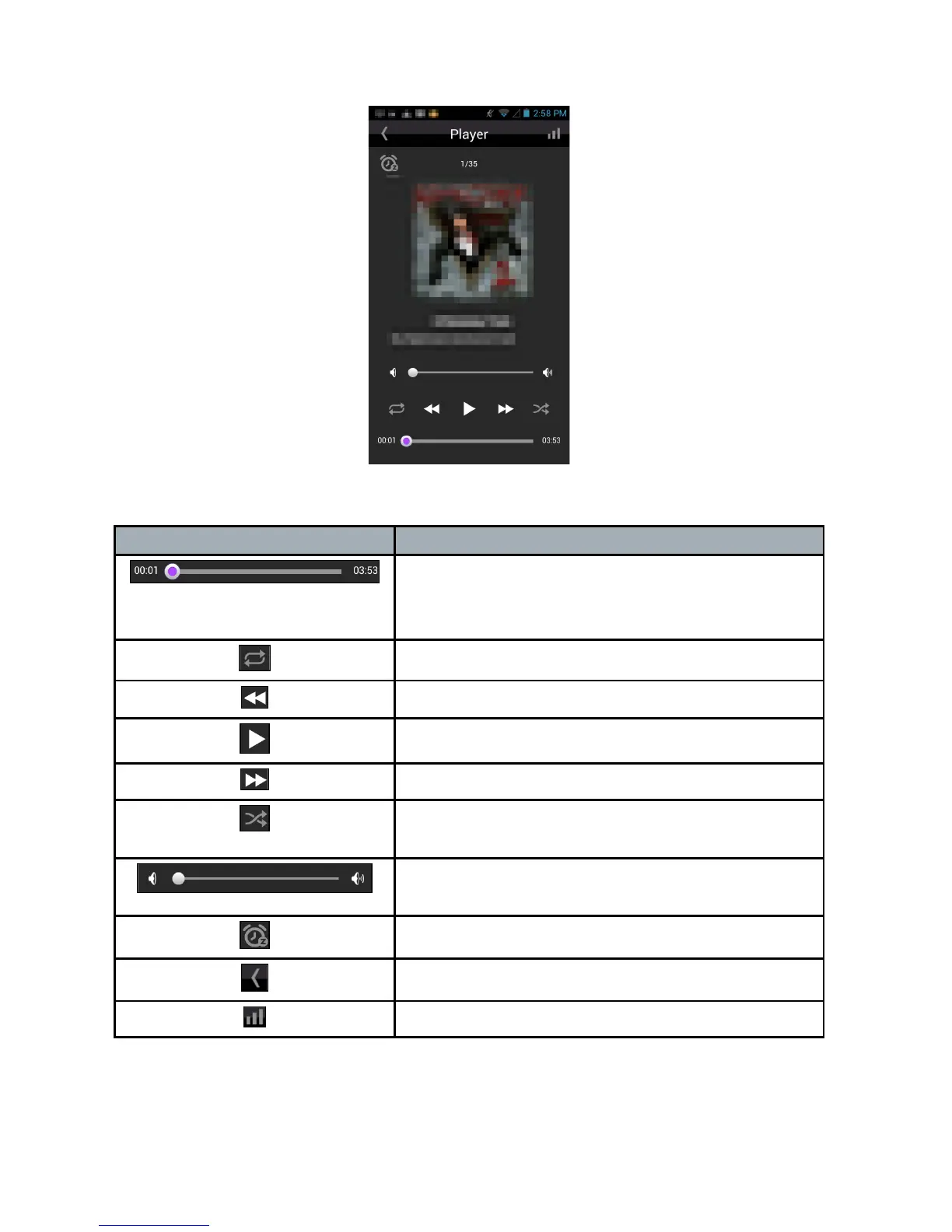
While a track is in the play, the player page is displayed as below.
Other than the revealed track information, you may press icons on the
player page for further controls.
Icon Description
Drag the purple dot anywhere in the bar to
play from the respective time line of the
track.
Tap to select repeat a single track or a list.
Tap to rewind to the previous track.
Tap to play or pause the current track.
Tap to forward to the next track.
Tap to set play tracks randomly. Icon is lit in
purple when enabled.
Drag the white dot anywhere in the bar to
set the volume for minimum to maximum.
Tap to set sleep timer.
Tap to go back to previous page.
Tap to advance to right panel of the app.



 To Next Page