Operation 3
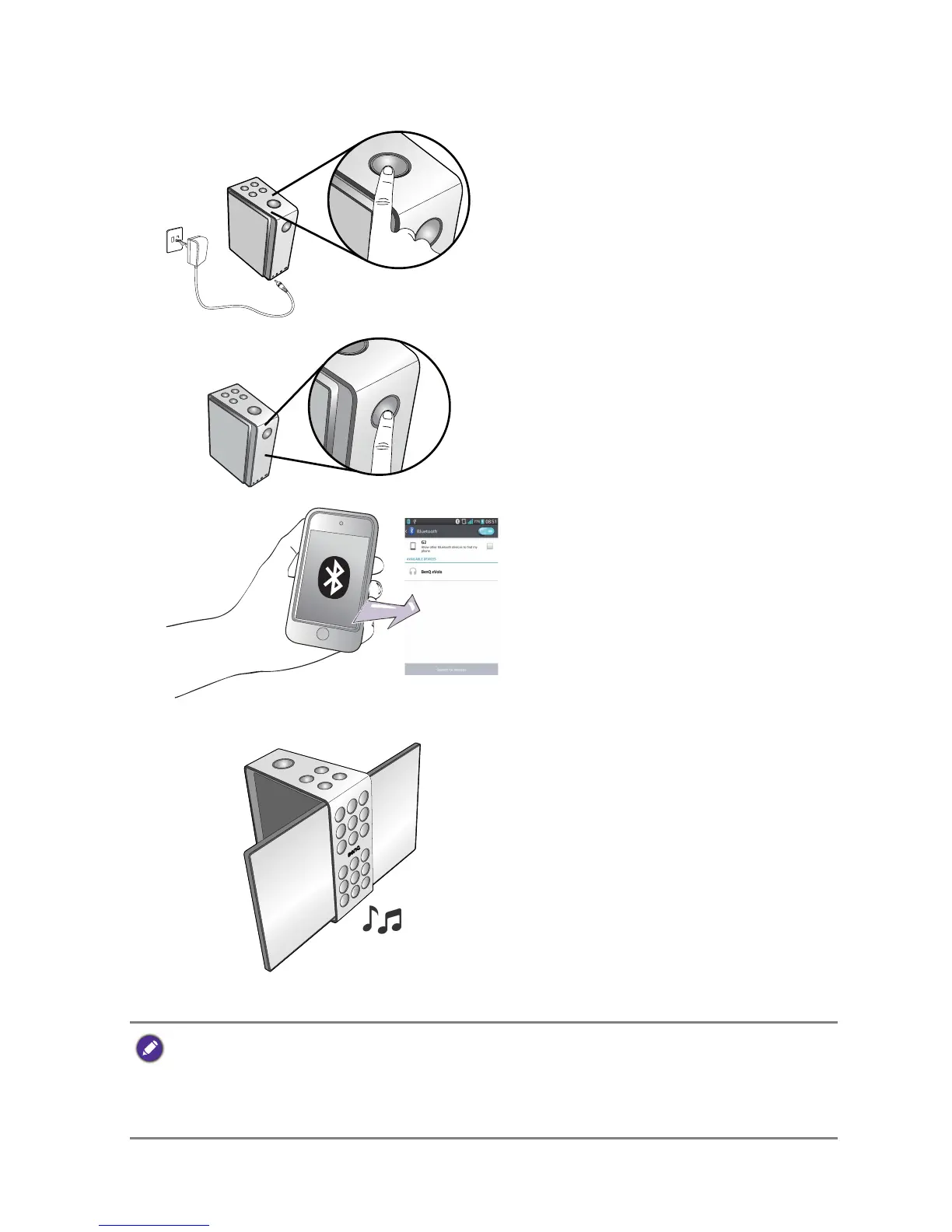
Pairing and connecting Bluetooth
®
devices
1. If the battery not charged, have the
power adaptor plugged in. Press
and hold the power button for 2
seconds.
2.
Press and hold the Bluetooth
®
but-
ton for 2 seconds to make the
speaker discoverable. The circle of
power button will blink in blue.
3.
Turn on Bluetooth
®
of your device
to discover and pair with “BenQ
treVolo”.
4. Flip out both speaker panes and
enjoy your music.
If the paired device comes with phone feature, BenQ treVolo will
become a speakerphone. To answer incoming calls, press play/pause
button. To hang up, press mode button. To suspend the current call and
switch to the new incoming call, press play/pause button.



 To Next Page