BV200 Plasma Viscometer Mk2/3 Customer User
Manual
Issue 9
th
Sep 2020 - Rev 1.8 Page 31 of 53
b. When complete select “Click to Proceed”
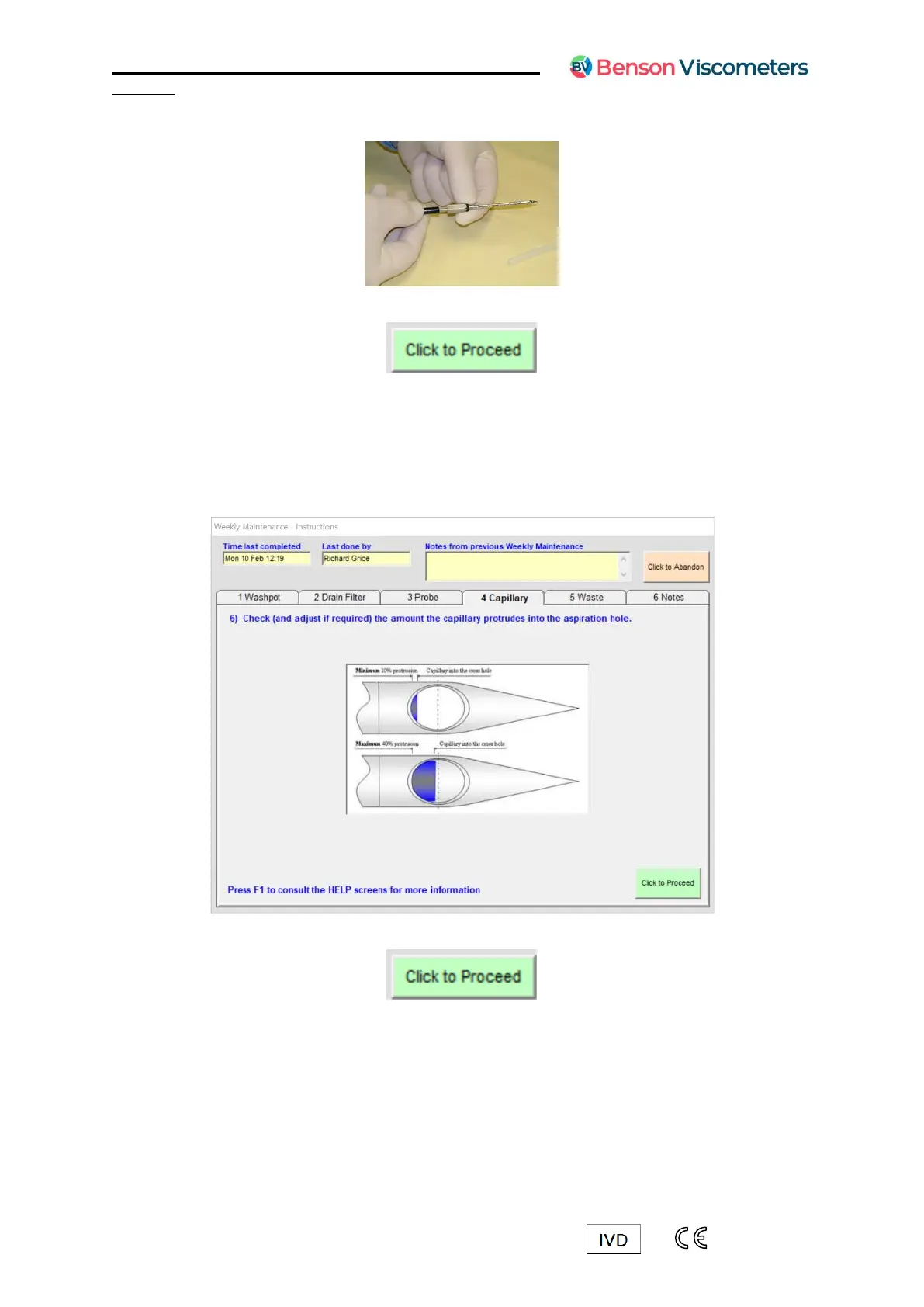
Follow the on-screen instructions to check and adjust the capillary 5.
When looking at the aspiration hole, identify how much of the capillary is visible and
is occupying the hole. Ideally, the capillary should only just be visible as in the top
picture below.
If you are unable to adjust the capillary, the system will continue to operate as long
as the capillary does not occupy more than half of the aspiration hole.
a. When complete select “Click to Proceed”



 To Next Page