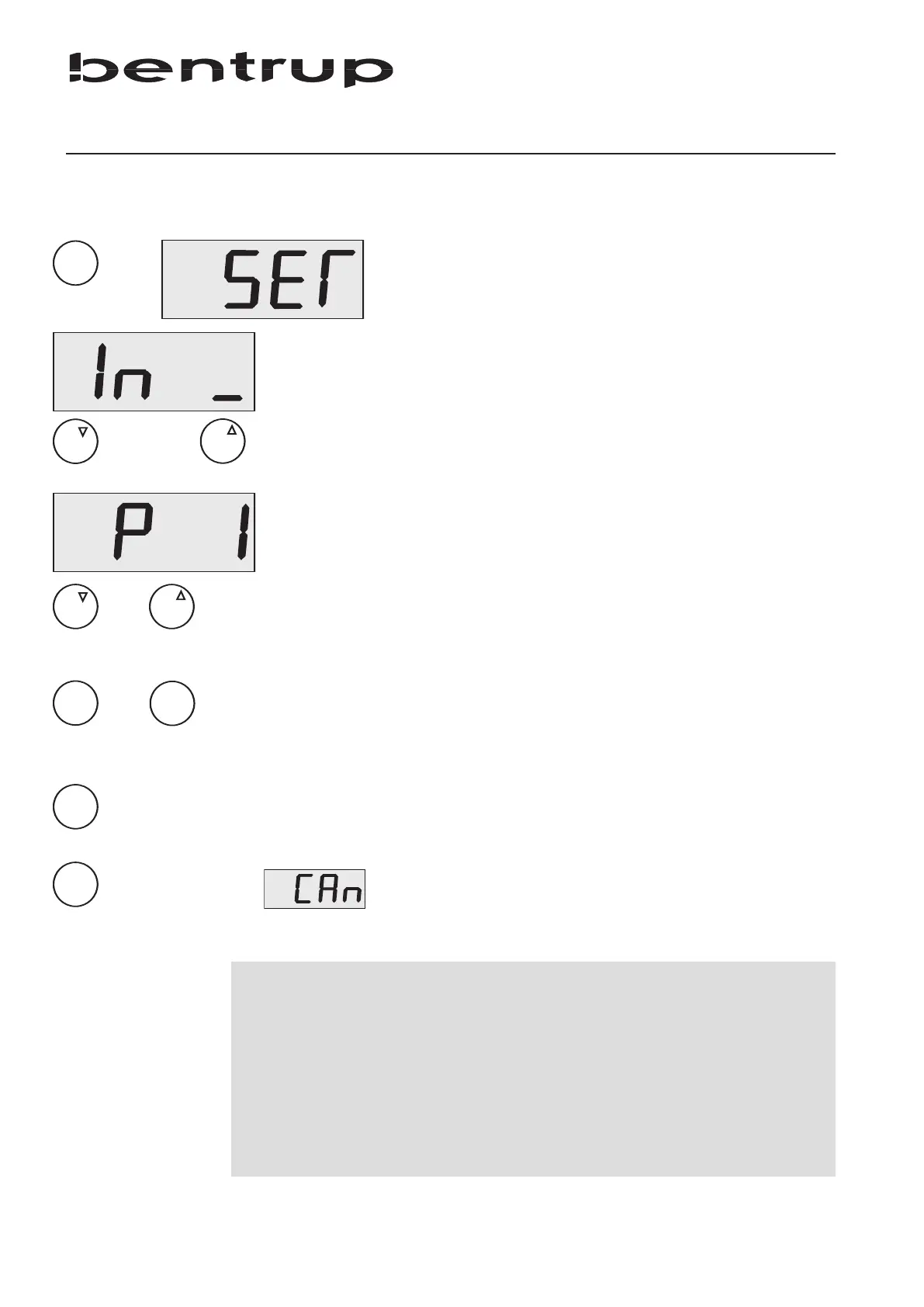
The TM100 is configured ex works ie. no adjustments
are neccessary. To adapt for other applications (ie.
different sensor) you can adjust by changing the
configuration.
Press and hold key (9) for 4 seconds to enter
configuration while TM100 is on (display shows
“SET”). Select key (4) or (5) depending which input
you want to configure, applies also to TM100 with
one input only. Now you can modify the 6 input
parameters (+ 3 mode dependant parameters). Please
find parameter details in the table below.
Choose the parameter using keys (4) and (5). The
display changes to parameter-no. (“P x” while x stands
for the parameter number).
Use keys (6) and (7) to adjust the selected parameter.
To choose another parameter use keys (4) or (5) again.
To save changes press and hold key (9) until display
reads “SET”.
To cancel changes press and hold key (8) until display
reads “CAn” (Cancel).
6
Configuration
or
previous / next parameter
decrease (-) resp. increase (+) value
hold = cancel
hold = save + quit
Parameter List
No. Description Range Default Unit
1
input mode
0 - 4 - 0 = input unused
2 value averaging 1 - 5 4 -
3 fullscale trim -10.0 - 10.0 0.0 percent (%)
4
zero offset
+/-100
0
same like value
5 sensitivity J/K thermocouple 1, 2 1 -
6 decimals 0 - 3 0 -
7 to 9 input mode dependant (see following page)
long


 To Next Page