Changing the room temperature
o Turn the adjustment dial in the clockwise direction.
Setpoint temperature is increased.
o Turn the adjustment dial in the anti-clockwise direction
Setpoint temperature is decreased.
Activating comfort extension
With automatic changeover from the Comfort operating mode to either the Night or Frost/Heat
Protection operating mode by an external timer, it is possible to extend the comfort mode. The
programmed time for the Motion button is taken into account here.
The controller is in the operating mode Night or Frost/heat protection.
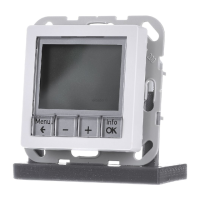
o Press presence button (1) (picture 1).
Status LED 02or 0¾ light up.
Comfort mode is extended by the programmed time.
Once the programmed time expires, the original operating mode Night or Frost/heat
protection is restored.
i The comfort extension can also be activated automatically, e.g. via a presence sensor.
5 Information for electrically skilled persons
5.1 Fitting and electrical connection
DANGER!
Electrical shock on contact with live parts in the installation environment.
Electrical shocks can be fatal.
Before working on the device, disconnect the power supply and cover up live
parts in the working environment.
Mounting notes
Do not use controller in multiple combinations with electrical devices. Their heat creation can
influence the temperature measurement of the controller.
Do not mount the controller near sources of interference such as electric cookers, refrigerators,
draughts or direct sunlight. This influences the temperature measurement of the controller.
Observe routing conditions for SELV.
Do not route input cables parallel to mains cables. Otherwise there might be EMC interference.
Recommendation: Use deep accessory sockets.
The optimum installation height is approx. 1.5 m.
Seite 3/6
23.07.2010
825 619 21
97-09605-000
KNX
KNX thermostat



 To Next Page