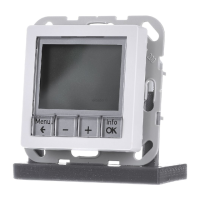
o Pull off adjustment dial (2) (picture 2).
o Fasten the electronics cover with the locking screw (7) (picture 2).
o Refit adjustment dial (2) (picture 2).
5.2 Commissioning
Load the address and application software
Use commissioning software from ETS2 version 1.2 onwards.
o Pull off adjustment dial (2) (picture 2).
o Press the programming button (9) (picture 2).
The programming LED (8) is illuminated (picture 2).
o Assign physical address.
The programming LED (8) is extinguished (picture 2).
o Record the physical address on the terminal insert and on the back of the electronic cover.
i Observe the correct assignment of inserts and covers when assembling after painting and
wallpapering work.
o Refit adjustment dial (2) (picture 2).
o Download application software, parameters, etc.
6 Appendix
6.1 Technical data
KNX medium TP 1
Commissioning mode S mode
Rated voltage DC 21 ... 32 V SELV
Current consumption KNX max. 10 mA
Connection, Bus Connection terminal
Ambient temperature -5 ... +45 °C
Storage/transport temperature -25 ... +70 °C
Output current 0.8 mA
Inputs and outputs
Cable type J-Y(St)Y 2 x 2 x 0.8 mm
Cable length max. 5 m
Temperature sensor cable length max. 50 m
6.2 Accessories
Floor temperature sensor/remote sensor Order-No. 0161
6.3 Warranty
We reserve the right to make technical and formal changes to the product in the interest of
technical progress.
Our products are under guarantee within the scope of the statutory provisions.
If you have a warranty claim, please contact the point of sale or ship the device postage free
with a description of the fault to the appropriate regional representative.
Berker GmbH & Co. KG
Klagebach 38
58579 Schalksmühle/Germany
Telefon + 49 (0) 2355/905-0
Telefax + 49 (0) 2355/905-111
www.berker.de
Seite 6/6
23.07.2010
825 619 21
97-09605-000
KNX
KNX thermostat


 To Previous Page
 Loading...