Mounting and connecting the device
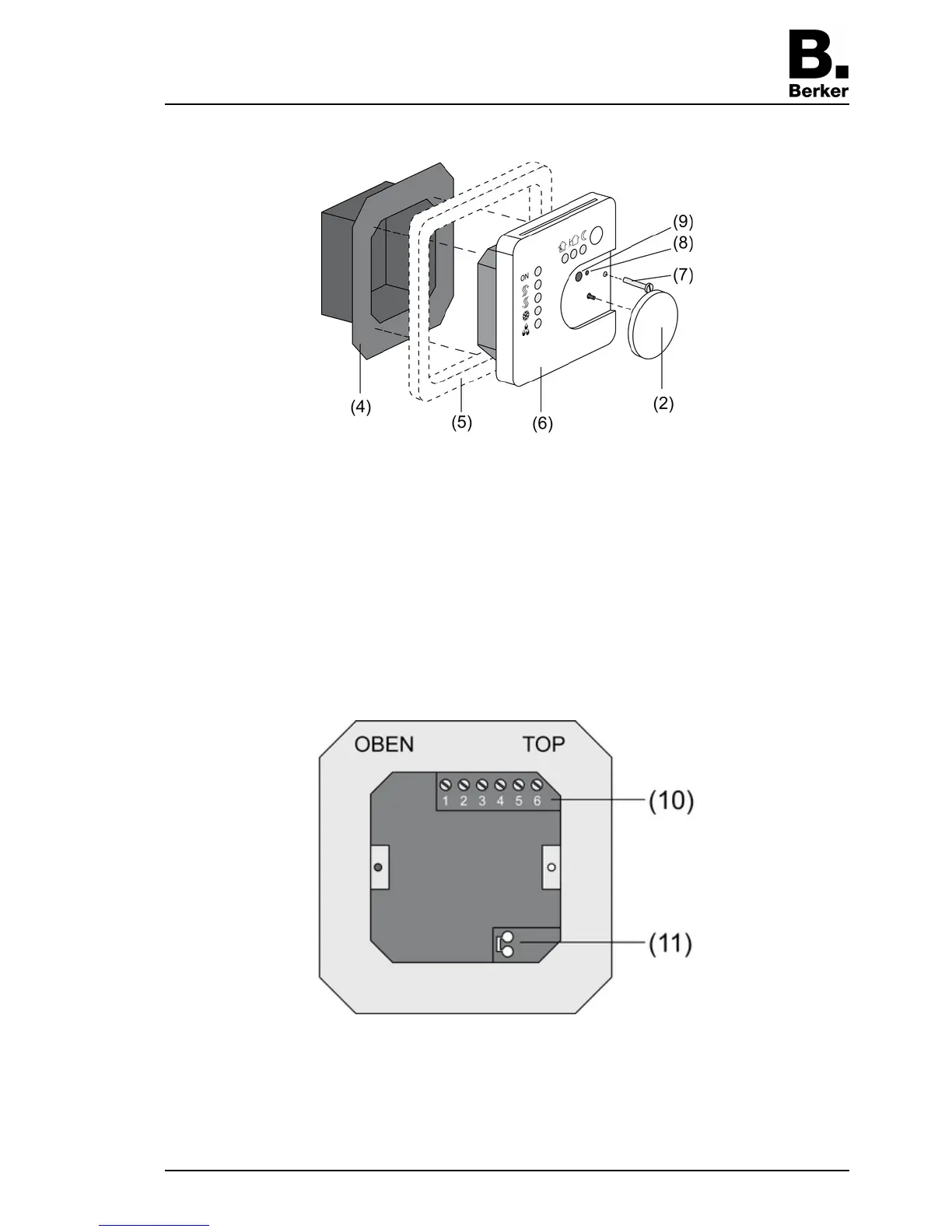
picture 2
(4) Terminal insert
(5) Design frame
(6) Electronics cover
(7) Retaining screw
(8) Programming LED
(9) Programming button
o Isolate terminal insert (4) from electronic insert (6) (picture 2).
o Connect the bus line to the connection terminal (11) in the terminal insert (picture 3).
picture 3
o Binary inputs E1...E4: Connect window contacts, NO or NC buttons to the terminals 1 and
2...5 (picture 4) of the terminal strip (10) (picture 3).
o Binary inputs A1...A2: Connect the LED or electronic relay to the terminals 1 and 2, 3
(picture 5) of the terminal strip (10) (picture 3).
Seite 4/6
23.07.2010
825 619 21
97-09605-000
KNX
KNX thermostat



 To Next Page