
 Need help?
Do you have a question about the Bermuda 400 and is the answer not in the manual?
Ensures the device is kept away from children for safety purposes.
Install a drip loop in the cable to prevent water ingress into electrical sockets.
Mandates RCD use (max 30mA) and proper earthing for the power socket.
Prohibits dry running, which can cause irreparable damage and void warranty.
Specifies the device is not for flammable liquids or water above 35°C.
Always disconnect power before handling, servicing, or maintaining the pump.
Do not unplug or disconnect from power supply with wet hands.
Do not retrieve the pump by pulling the electrical cable.
The power cable is sealed and cannot be replaced if damaged.
Ensure pump body is covered by water and connect hose securely.
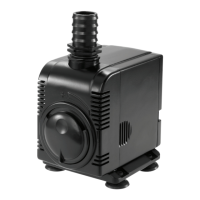
Turn the disc on the pump clockwise or anti-clockwise to adjust water output.
Check for steady, normal operation and leaks for 30 minutes after connecting power.
Squeeze sides of pump and pull to remove the front casing.
Turn impeller housing anticlockwise to expose the impeller.
Handle ceramic impeller shaft with care; it is not covered by warranty.
Inspect and clean impeller blades and magnet; ensure they are intact.
Check plug, wiring, RCD, and cable for loose connections or damage.
Check pump housing for blockages and if Head Max limit is exceeded.
Verify sufficient water level in the reservoir to keep the pump submerged.
 General
| Brand | Bermuda |
|---|---|
| Model | 400 |
| Category | Water Pump |
| Language | English |

 To Next Page
