19
Step 3: Inserting Your Hearing Aid
Your hearing aid has been programmed individually
for your right or left ear.
You will see a color marking on your hearing aid. This
can help you distinguish between the left (blue) and
right (red) hearing aids.
· When inserting the right hearing aid, hold it with
the right hand. When inserting the left hearing aid,
hold it with the left hand.
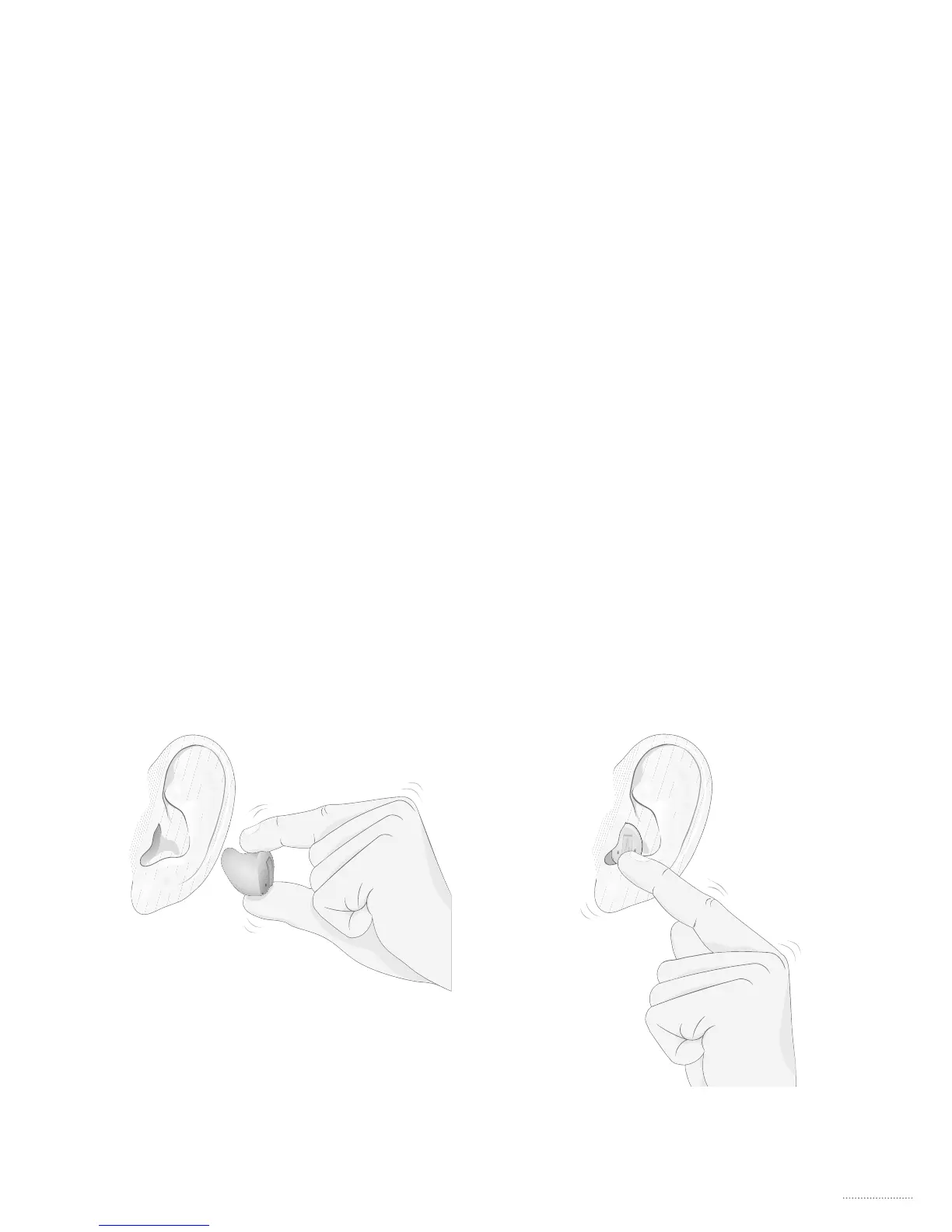
· Hold your hearing aid between your thumb and
index nger with the microphone on top. If your
hearing aid has a pull-out string, this must be on
the bottom. (A)
· Place the canal part of your hearing aid into your
ear canal (B)
A B






 To Next Page