
 Need help?
Do you have a question about the Bernafon XTREME and is the answer not in the manual?
Identifies earmold components: canal, sound outlet, tubing, helix, and vent.
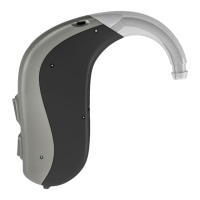
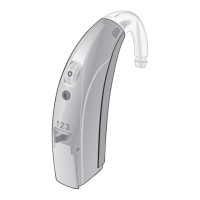
Labels key parts of the XTREME 120/121 instruments: switch, microphone, earhook, sound outlet, battery drawer.
Step-by-step instructions for correctly inserting the earmold into the ear canal, including grip and angle.
Guides on ensuring the earmold helix is correctly positioned and hidden behind the ear flap for comfort and security.
Tips for easier insertion, including using Vaseline and checking for ear soreness, with advice from a professional.
Instructions for placing the hearing instrument behind the ear after the earmold is inserted correctly.
Procedure for safely detaching the earmold and hearing instrument from the ear without damage.
Explains how to turn the hearing instruments ON and OFF using the battery door and volume controls.
Details how to increase or decrease volume using the control dial and its numbered positions (0-3).
Describes how to use the 3-position switch to select listening programs and the corresponding beeps.
Explains how the telecoil feature enhances hearing on telephones and in loop systems for clearer sound.
Details the meaning of the status light on XTREME 120 for power, program changes, and battery status.
Provides instructions for opening the battery drawer and correctly inserting a new size 675 battery.
Explains the audible beeps and visual cues indicating a low battery level and when to replace.
Describes the optional drawer designed to prevent accidental battery removal by children.
Offers advice on battery life, keeping spares, proper disposal, and protection against moisture.
Explains how to attach the FM or DAI shoe to the instrument and connect external audio accessories.
Details how to adjust the input level on the DAI shoe for different audio sources using a screwdriver.
Covers safety regarding misuse, sharing, contact sports, and keeping instruments away from children.
Provides safety instructions for battery handling, cleaning, and preventing accidental ingestion or damage.
Highlights special care needed when fitting and using instruments with high sound pressure levels.
Outlines the terms of the limited warranty covering defects and conditions that void the warranty.
Explains how instruments are programmed with programs and beep indicators for listening situations.
Indicates how the volume control position is programmed based on hearing loss, including locked settings.
 General
| Category | Hearing Aid |
|---|---|
| Manufacturer | Bernafon |
| Model | XTREME |
| IP Rating | IP68 |
| Channels | 16 |
| Programs | 4 |
| Wireless Connectivity | Bluetooth |




 To Next Page