13
“Keep warm” Function
This function allows the reach and automatically maintains at the temperature of 42, 70 or 94°C.
This will avoid liquids overflowing and fast burning at the bottom of the pan.
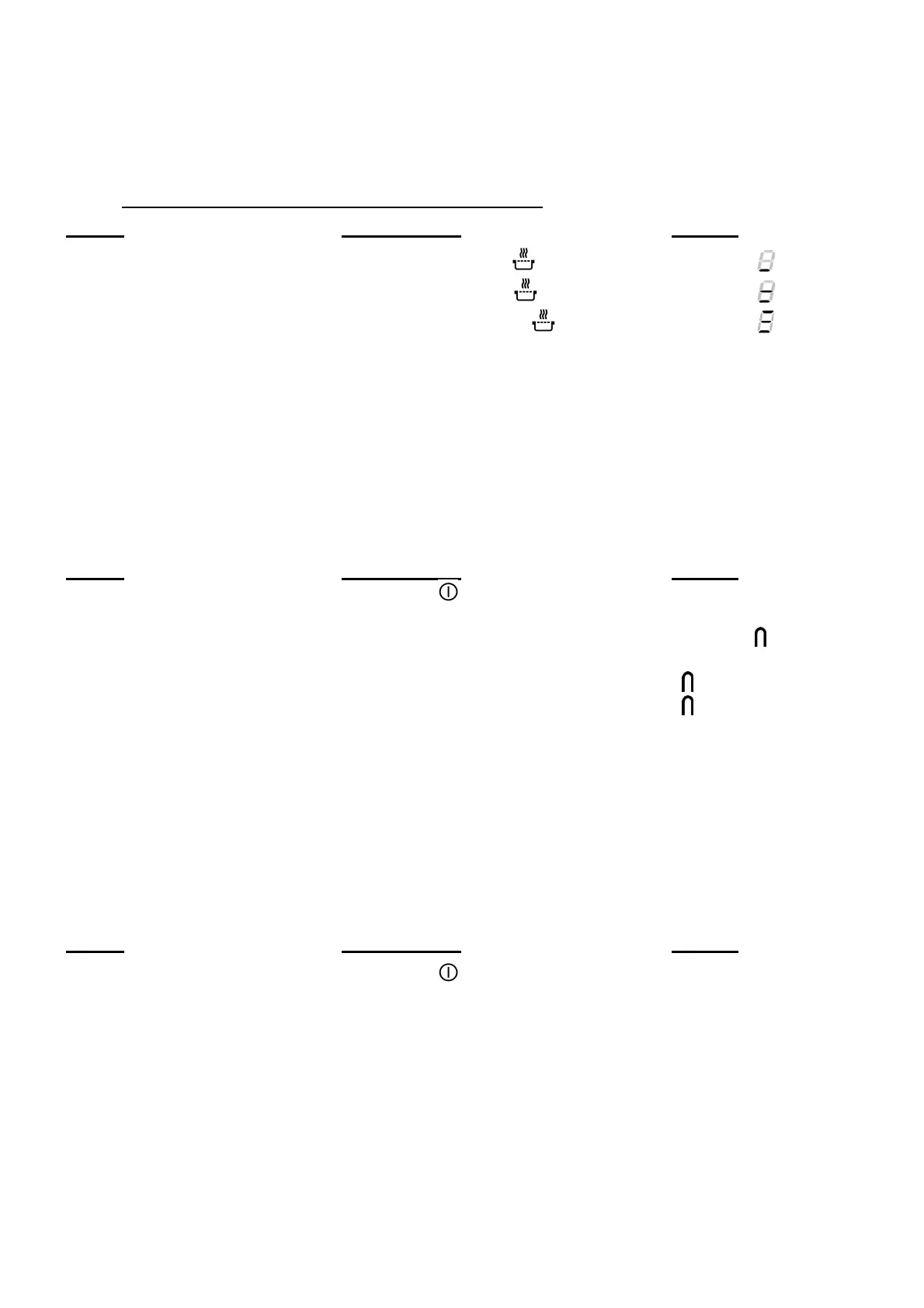
• To engage, to start the function « Keep warm »:
Action Control panel Display
42°C to engage Press once on key [
] [ U ] and [
]
70°C to engage Press twice on key [ ] [ U ] and [
]
94°C to engage Press 3 times on key [ ] [ U ] and [
]
To stop Slide on the “SLIDER“ [ 0 ] to [ 9 ]
The maximum duration of keeping warm is 2 hours.
Bridge or Automatic Bridge Function
This function allows the use of 2 cooking zones at the same time with the same features as a
single cooking zone. With this function the Booster function is allowed on the left and center
zones.
Action Control panel Display
Activate the hob Press key [ ] for 2 sec. [ 0 ]
Activate the bridge Manually: press simultaneously
of the 2 cooking zones [ 0 ] and [ ]
or
Automatically: put a great pan on the [ ] blink
2 zones and press on the 2 “SLIDER” [ ]
Increase bridge Slide on the “SLIDER“
witch indicates the power [ 1 ] to [ 9 ]
Stop the bridge Press simultaneously
of the 2 cooking zones [ 0 ]
Control panel locking
To avoid modification of the setting of the cooking zones , in particular during cleaning, the
control panel can be locked (with exception to the On/Off key [ 0/I ]).
Action Control panel Display
Activate the hob Press key [ ] for 2 sec. [ 0 ]
Locking the hob Hold for 3s the key of an area then [ L ]
press the "Slider" which scrolls and
swipe from left to right
Unlock the hob Hold for 3s the key of an area then [ 0 ] ou [ H ]
press the "Slider" which scrolls and
swipe from left to right


 To Next Page