3
Typical Wiring Configurations
NOTE: The “Installer Switch” option will be configured in the next step.
Heat Pump Systems
1 HEAT / 1 COOL - No Auxiliary Heat
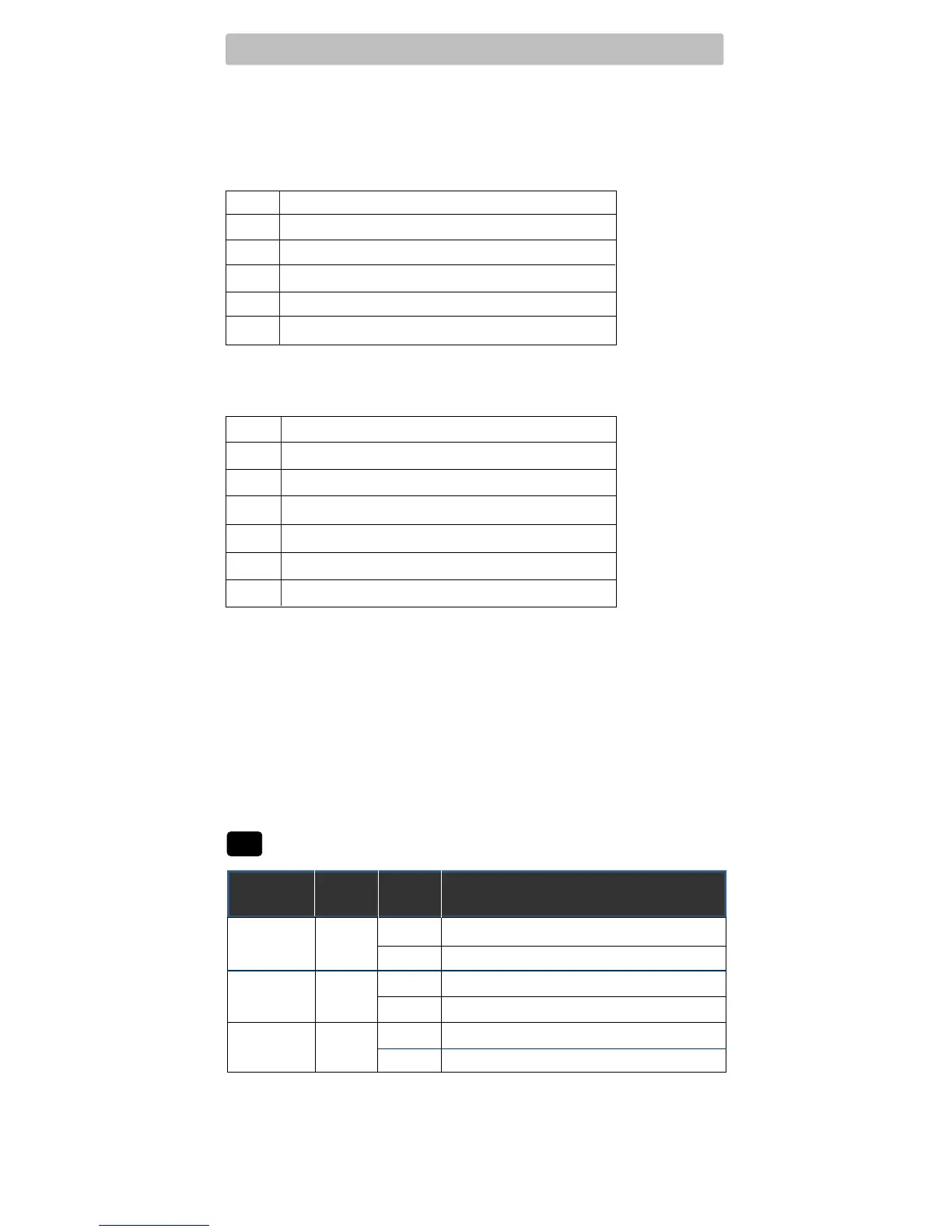
Set Installer Switch to HP
Rh* 24VoltACPower
Rc* ConnectedtoRhwithsuppliedJumperWire
O or B
ChangeoverValve [note 2]
Y1
CompressorRelay(appearsasY1on
BT21NP
)
G FanRelay
C 24VoltACTransformerCommon [note 1]
2 HEAT / 1 COOL - Including Auxiliary Heat (BT21NP only)
Set Installer Switch to HP
R 24VoltACPower
O or B
ChangeoverValve[note 2]
Y1
CompressorRelay(1ststageheating/cooling)
W2 AuxiliaryHeatRelay(2ndstageheating)[note 3]
W1/E EmergencyHeatRelay [note 3]
G FanRelay
C 24VoltACTransformerCommon [note 1]
*AppearsasRonBT21NP(singletransformer)
NOTES - Heat Pump Systems
[1]Ifbatteriesareinstalledthe24VoltACcommonconnectionisoptional.
[2]SelectOforcoolactiveor Bforheatactive.
[3]InstallaeldsuppliedjumperbetweentheW2andEterminalsif
thereisnoseparateemergencyheatrelayinstalled.
Provide disconnect and overload protection as required.
Factory Setting
Switch Default Options Comments
NORM/HPNORM
F/C F
HE/HG HG
Set Installer Switches
4
NORM Selectforconventionalsystems
HP Selectforheatpumpsystems
F Selectforfahrenheittemperaturescale
C Selectforcelsiustemperaturescale
HG Selectforgasheat
HE Selectforelectricheat
NOTE: The reset button should be pressed after making any changes to the
installer switches.


 To Next Page